Огляд
У цьому випуску ми додали такі функції:
- Система введення фактичної тривалості іспиту
- Інтеграція Schedule Cloud — Фаза 1
- Призначення іспитів кільком викладачам
- Налаштування автоматичного призначення аудиторій
- Покращення таблиць планування іспитів
Що нового
Система введення фактичної тривалості іспиту
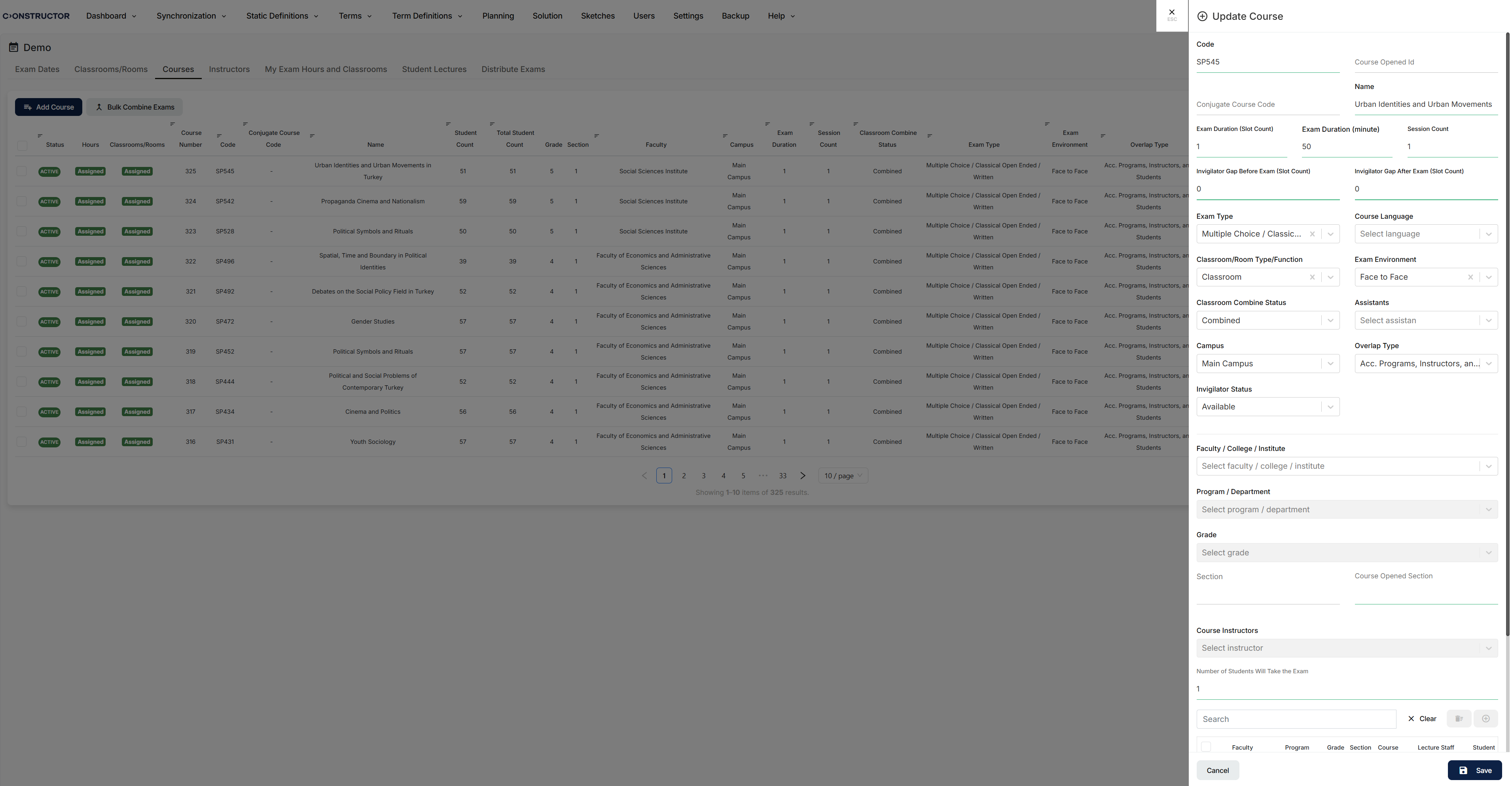
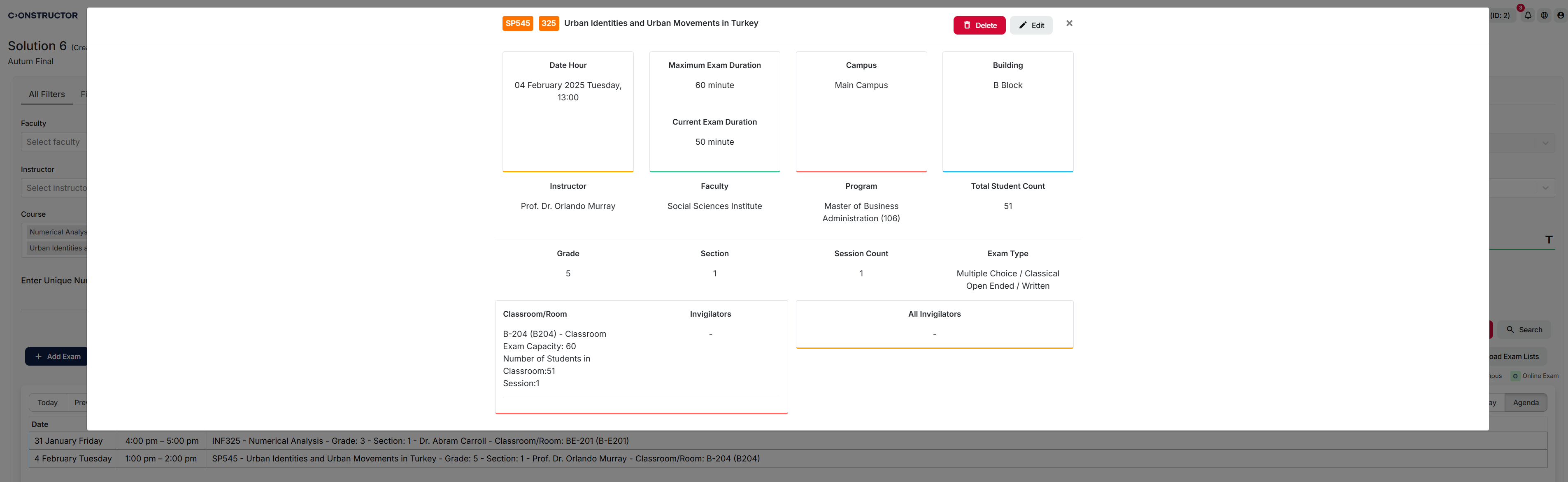
Schedule тепер підтримує введення тривалості іспитів як у форматі кількості слотів, так і в хвилинах.
Система додає поля Тривалість іспиту (хвилини), Пауза для наглядача перед іспитом та Пауза для наглядача після іспиту, з перевіркою відповідності між значеннями в хвилинах та кількістю слотів. Користувачі можуть вводити трицифрові значення з інтервалом 5 хвилин, наприклад 045, 090 та 120.
Правило буферу на 10 хвилин допомагає зберегти час на підготовку аудиторії між іспитами. Функція також підтримує імпорт і експорт у Excel, а також інтеграцію через API.
Інтеграція Schedule Cloud — Фаза 1
Перша фаза інтеграції Schedule з Constructor Cloud тепер доступна.
Schedule тепер може працювати в iframe у середовищі Constructor Platform, зберігаючи наявну функціональність. Аутентифікація та обробка мови тепер узгоджуються з платформою, а дизайн заголовка оновлено для кращої відповідності досвіду в хмарі.
Призначення іспитів кільком викладачам
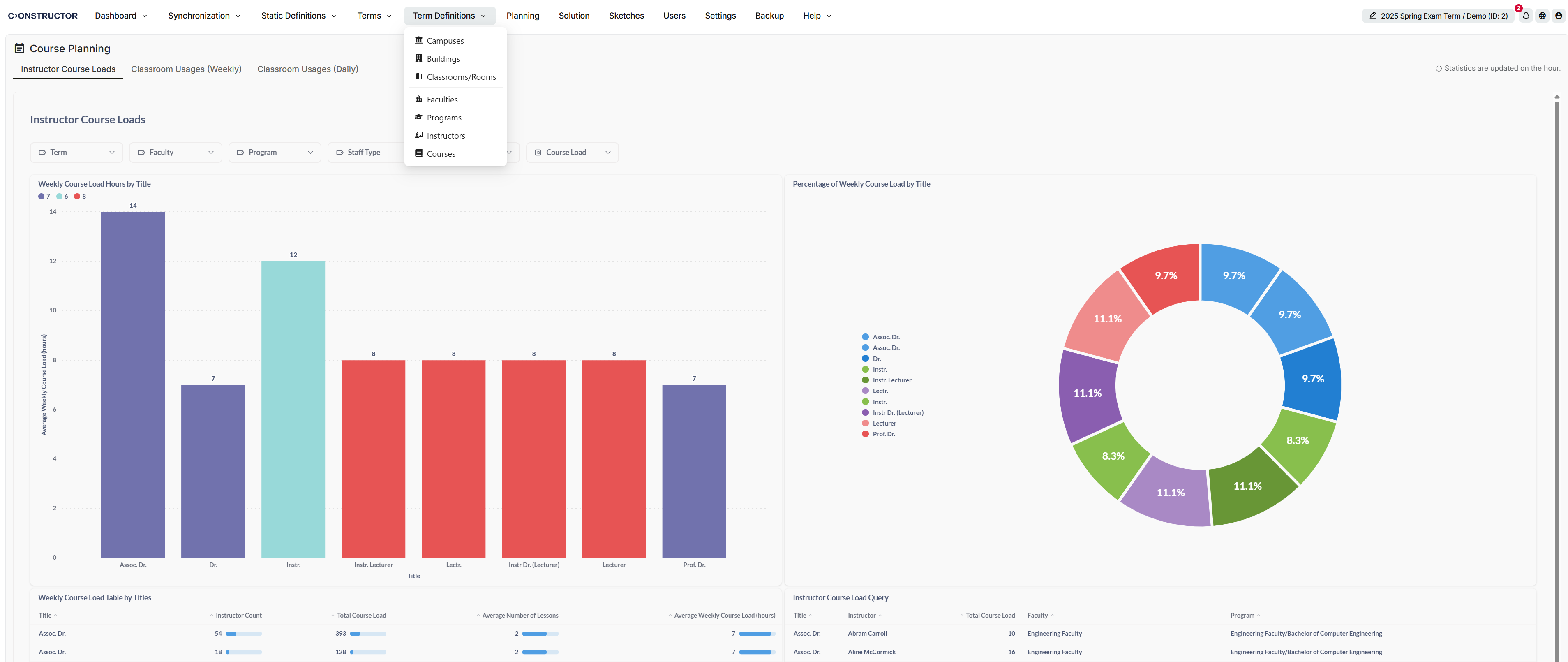
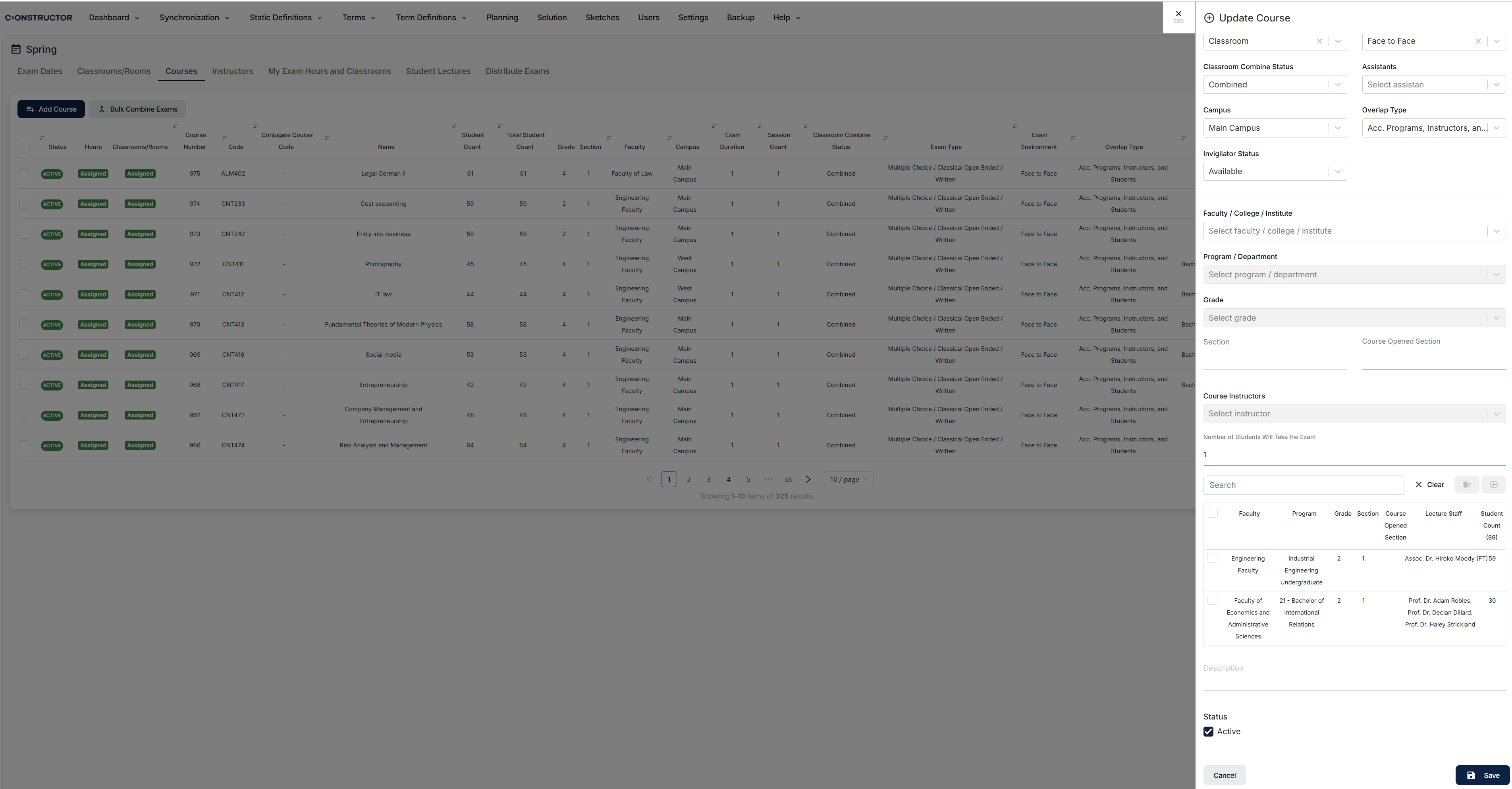
Schedule тепер підтримує призначення кількох викладачів на один іспит.
Коли обрано кількох викладачів, система створює окремі визначення іспитів для кожної комбінації викладача та програми і розподіляє кількість студентів пропорційно. Це допомагає установам ефективніше керувати спільними навчальними домовленостями та врівноважувати адміністративне навантаження.
Налаштування автоматичного призначення аудиторій
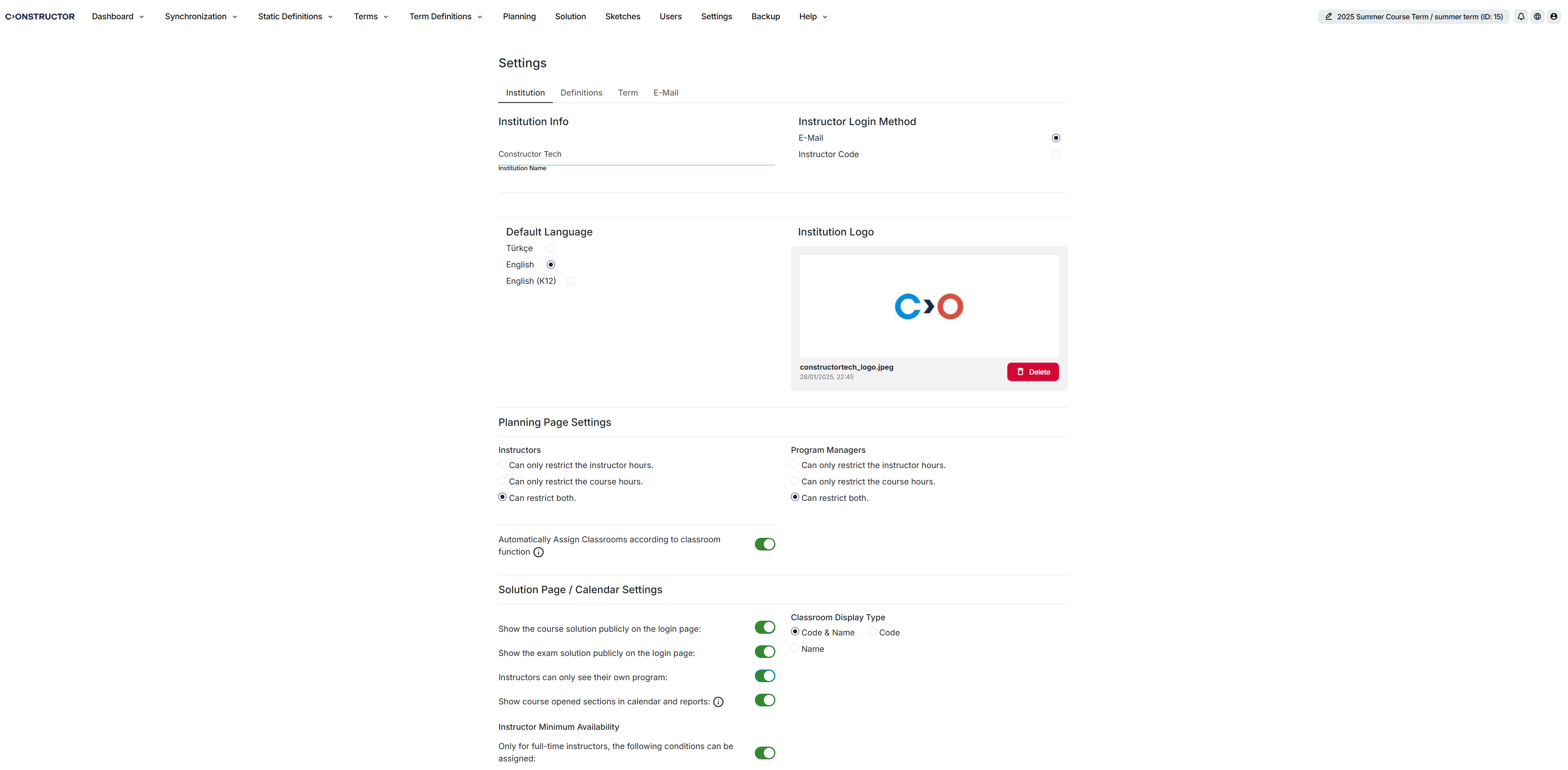
Адміністратори тепер можуть налаштувати, чи призначаються аудиторії автоматично під час планування курсів та іспитів.
Це налаштування доступне в Сторінки планування > Налаштування > Викладачі, з опціями Автоматично призначати аудиторії та Не призначати аудиторії. Коли автоматичне призначення увімкнено, механізм планування призначає кімнати на основі сумісності функції аудиторії з описом курсу.
Це налаштування доступне лише користувачам із ролями Адміністратор установи та Системний адміністратор.
Покращення таблиць планування іспитів
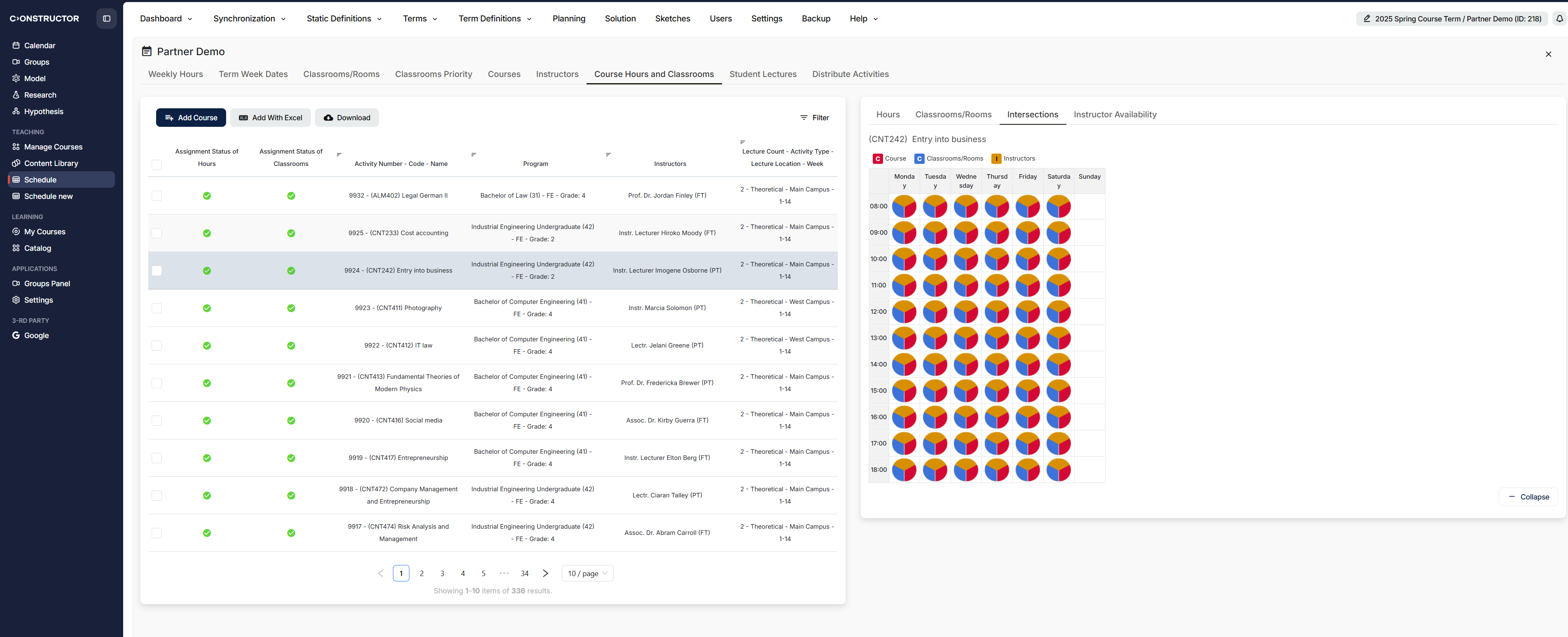
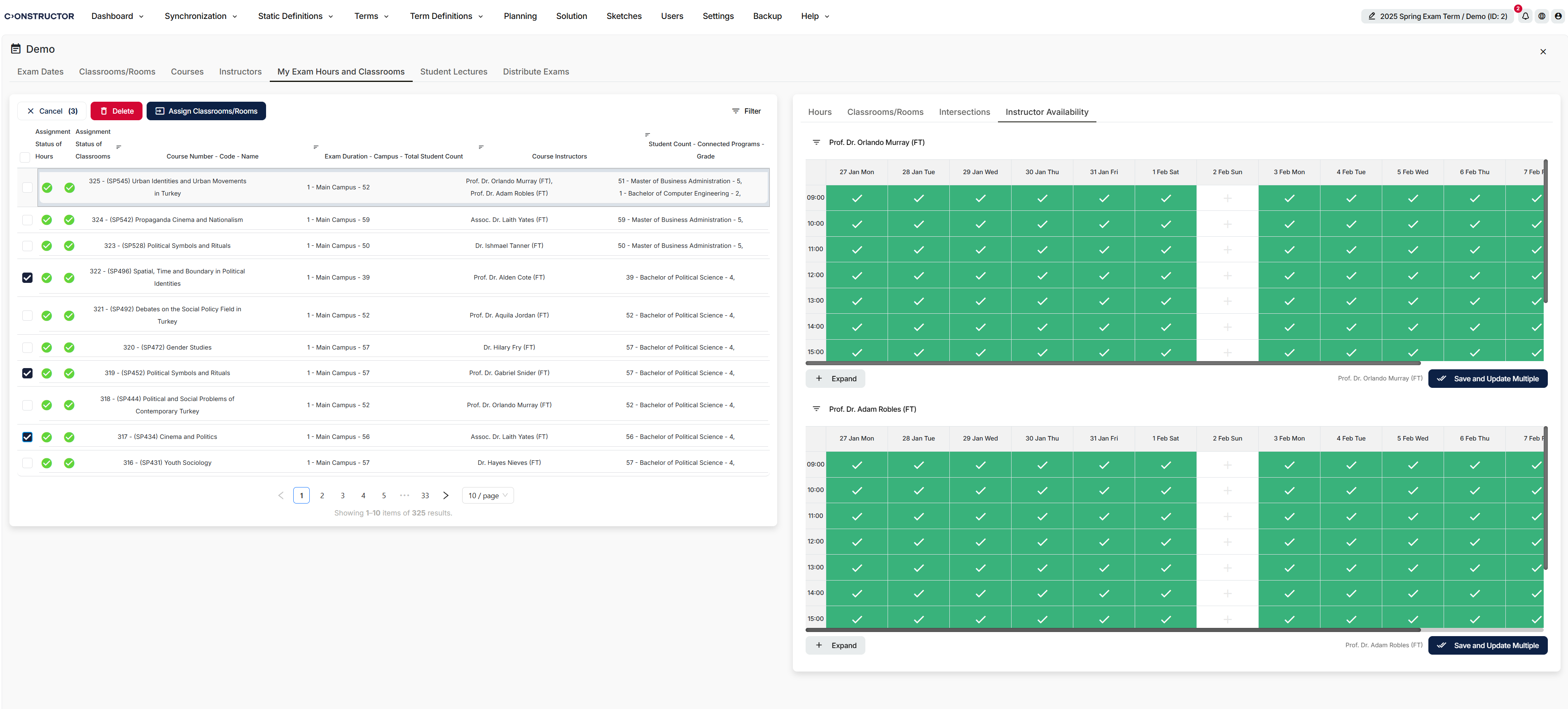
Модуль планування іспитів тепер містить оновлені макети таблиць і новий компактний вигляд.
Компактний вигляд розміщує зліва компактний список годин курсу, а справа — календар і часову сітку для вибраного курсу. Це полегшує перегляд і призначення розкладів іспитів і відповідає тій самій схемі розташування, що вже використовується в модулі періоду курсу.
Виправлені проблеми
Ми вирішили наступні проблеми:
- Виділення на сторінках періоду іспитів із пагінацією: Вибрані дані в Курси та Мої години іспитів більше не скидаються при переході на наступну сторінку.
- Додавання програм під час копіювання іспитів: Користувачі тепер можуть додавати програму до комбінованих і звичайних іспитів у модулі копіювання іспитів без помилок.
- Результати об’єднання курсів після фільтрації: Список курсів більше не порожній після того, як користувачі фільтрують за кодом курсу та об'єднують курси.
- Відновлення резервних копій: Установи тепер можуть відновлювати резервні копії без помилок.
- Пагінація під час періодів курсів та іспитів: Пагінація тепер відображає сторінки правильно і показує повний список курсів.
- Видимість факультету та програми в комбінованих іспитах: Інформація про факультет та програму тепер відображається правильно при об'єднанні іспитів.
- Помилки операції розподілу: Розподіл тепер завершується без зазначеної помилки.
- Курси з кількома викладачами: Відображення курсів тепер послідовніше показує інформацію про кількох викладачів замість того, щоб відображати лише перший урок програми.
- Обмеження викладачів на сторінці планування: Часові слоти більше не залишаються порожніми після того, як користувачі зберігають обмеження викладачів.
- Попередження в Кінцевому розкладі іспитів: Курси більше не показують несподіваних попереджень про помилки у Кінцевому розкладі іспитів.
- Видалення та повторний вибір дати іспиту: Видалення та вибір нових дат іспитів більше не порушує пов'язані області.
- Об'єднання іспитів з кількома викладачами: Курси з кількома викладачами тепер можна правильно об'єднувати.
- Завантаження налаштувань після входу: Налаштування тепер завантажуються правильно після входу в систему.
- Поведінка скидання фільтрів: Фільтри тепер правильно скидаються, коли користувачі їх очищають.
- Імпорт тривалості іспиту в Excel: Значення тривалості іспиту тепер правильно імпортуються з Excel.
- Збереження тривалості іспиту на сторінці планування: Значення тривалості іспиту тепер правильно зберігаються на сторінці планування.
- Налаштування видимості публічних рішень: Виправлено помилки, які впливали на налаштування видимості публічних рішень.
- Довгі імена викладачів у модальному вікні планування курсу: Довгі імена викладачів більше не спричиняють переповнення інтерфейсу у модальному вікні планування курсу.







