Identitätsprüfung für Online-Prüfungen: ein praktischer Leitfaden
03 February, 2026


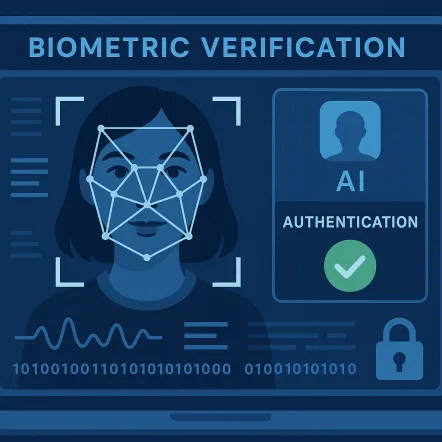
Identity verification for online exams confirms that the registered candidate is the person beginning and completing an assessment. It can combine account authentication, document checks, facial comparison, liveness detection, and human review, depending on the exam’s risk level. For universities, certification bodies, corporate learning teams, and public-sector organizations, the challenge is balancing reliable checks with privacy, accessibility, and a process candidates can complete without unnecessary friction.
Institutions should test the complete candidate journey across different devices, documents, locations, and accommodation needs before scaling
Remote assessment removes the physical checkpoint of an invigilator comparing a candidate with a student card or attendance list. Identity checks create a clearer link between the candidate record, the assessment session, and the result.
The level of assurance should reflect what the result is used for. A short quiz may only need secure account access, while a final examination or professional certification may justify document verification and additional checks. Teams asking how online proctoring works should begin by defining the identity risk, acceptable evidence, and who decides uncertain cases.
Most systems follow the same core stages. A good process tells candidates what is required before exam day and provides a clear route when automation cannot confirm identity.
The candidate signs in through an LMS, assessment platform, SSO service, or exam portal. This connects the session with an institutional record, although a login alone may not be enough for a high-stakes exam.
The system checks the camera, microphone, browser, permissions, additional displays, prohibited applications, and supported device settings.
The candidate presents an approved document, such as a student card, passport, or national identity document. The platform may check image quality, expiry details, and whether the document is accepted.
A live image can be compared with the photograph on the document or an approved record. Liveness controls aim to distinguish a present person from a photograph or replayed video, although no control is infallible.
The system records whether the check passed, failed, or needs review. A trained reviewer can assess unclear images, name differences, document problems, or accessibility needs.
Identity checks may sit within a wider automated or human-supervised process. Readers asking what AI proctoring is should distinguish between confirming who the candidate is and monitoring what happens during the assessment. The functions can work together, but they need separate rules.
Strong identity verification for online exams should support more than a facial match. It should give your team control over methods, exceptions, audit records, and the candidate experience.
Core features to evaluate include:
When comparing online proctoring software, ask vendors to demonstrate the full journey. Test a successful check, a poor-quality document, a failed comparison, an accommodation, and a case that needs human review.
Identity verification may involve names, document images, facial photographs, biometric templates, device data, and verification outcomes. Your institution should know what is collected, why it is needed, where it is processed, who can access it, and when it is deleted. More data does not automatically mean more security.
GDPR compliance may require a lawful basis, clear notices, data minimization, access controls, defined retention, and additional safeguards for biometric data. Other jurisdictions may impose consent, disclosure, or deletion duties, so privacy and legal teams should be involved early. Wider discussions about AI in higher education also make transparency important: candidates should know which checks are automated and whether a person reviews consequential decisions.
A practical privacy review should cover:
A proportionate process can provide suitable assurance while limiting data collection and explaining how information is handled.
A workflow that works for 50 candidates may fail when thousands begin within the same hour. At scale, consider verification queues, processing time, reviewer capacity, support coverage, resits, and regional demand. Peak performance matters more than an average response time.
Scalability also depends on operations. If every uncertain result requires one central administrator, review queues can become a bottleneck. Define which cases can proceed, need immediate review, or can be checked after the exam.
Before rollout, test:
Central teams can define privacy, security, and audit standards while departments configure exam-specific rules. This supports consistency without forcing every assessment into one model.
Vendor evaluation should begin with your exam types, candidate groups, legal obligations, and current systems. Understanding how online proctoring works helps you test where verification begins, what data moves, and how results reach administrators.
| Evaluation area | What to ask | Why it matters |
|---|---|---|
| Verification methods | Which account, document, facial, liveness, and human-review options are available? | Lets you match assurance to exam risk |
| Accuracy and testing | How is performance tested across different candidate groups and conditions? | Helps identify limitations and possible uneven outcomes |
| Fallback process | What happens when an automated check fails or remains uncertain? | Prevents unnecessary candidate exclusion |
| Privacy | What data is collected, stored, shared, and deleted? | Supports compliance and candidate trust |
| Integration | Does it connect with your LMS, SSO, assessment tools, APIs, and reporting systems? | Reduces duplicate work and inconsistent records |
| Scale | How does the platform perform during concurrent starts and peak review periods? | Tests operational reliability |
| Accessibility | Which alternative checks and accommodation workflows are supported? | Protects equitable access |
| Support | Who helps candidates and administrators before and during an exam? | Reduces disruption and internal pressure |
Ask for evidence behind accuracy, liveness, and scalability claims rather than accepting headline percentages. Useful evidence explains the test population, conditions, thresholds, error rates, and review method. Your pilot should use realistic candidates and devices.
Also confirm who configures the system, migrates data, trains staff, writes candidate communications, manages appeals, and supports exam-day incidents. The vendor should be clear about its responsibilities and yours.
Projects often fail because teams focus on the strongest technology instead of the complete assessment process. Common mistakes include:
A wider proctoring guide can help teams map verification into the full exam journey. Identity assurance is strongest when checks, monitoring, review, and decisions follow one documented process.
Constructor Proctor supports identity verification alongside AI proctoring, live proctoring, secure-browser controls, and exam-security workflows. Institutions can use different oversight levels based on exam risk, while LMS connections and APIs help keep candidate and assessment data closer to existing systems. This helps organizations reduce fragmented tools rather than add another point solution.
As part of Constructor Tech’s all-in-one platform, Proctor sits within an integrated ecosystem built for education and research. It connects with assessment, learning, scheduling, data, and analytics, while Constructor University in Bremen provides an institutional environment for product testing and feedback. Buyers should still validate identity methods, privacy, accessibility, integrations, review workflows, and regional requirements before deployment.
A practical evaluation of Constructor Proctor should include:
The aim is a secure, scalable, and reliable process that provides suitable assurance without making the candidate journey harder than necessary.
Der Kandidat meldet sich an und kann aufgefordert werden, ein zugelassenes Ausweisdokument vorzulegen, ein Live-Foto aufzunehmen oder eine weitere, von der Institution vorgesehene Überprüfung abzuschließen. Das System vergleicht die eingereichten Informationen mit dem Kandidatendatensatz und gibt als Ergebnis Bestanden, Nicht bestanden oder Überprüfung zurück. Unklare Fälle sollten von einer menschlichen Prüferin oder einem menschlichen Prüfer bearbeitet werden, wenn es die Richtlinien der Institution erfordern.
Einfacher Gesichtsvergleich kann anfällig für Präsentationsangriffe wie Fotos, Aufnahmen oder manipulierte Medien sein. Liveness-Checks und menschliche Überprüfung können diese Versuche erschweren, aber keine Methode sollte als unmöglich zu umgehen betrachtet werden. Institutionen sollten mehrschichtige Kontrollen einsetzen und sie an die Konsequenzen der Prüfung anpassen.
Eine fehlgeschlagene Überprüfung sollte nicht automatisch bedeuten, dass der Kandidat gegen eine Regel verstoßen hat. Die Plattform kann um ein weiteres Bild, ein alternatives Dokument oder eine Überprüfung durch eine befugte Person bitten. Institutionen sollten das Ausweich- und Supportverfahren vor Beginn der Prüfung erläutern.
Die Software kann sich über LTI, APIs, single sign-on, plugins oder anbieterspezifische Integrationen verbinden. Diese Verbindungen können Kandidaten-, Kurs-, Prüfungs- und Verifizierungsstatusdaten zwischen Systemen übertragen. IT-Teams sollten bestätigen, welche Felder übertragen werden, wie häufig sie synchronisiert werden und wie Fehler behoben werden.
Die Aufbewahrung richtet sich nach den institutionellen Richtlinien, den vertraglichen Vereinbarungen, den erhobenen Daten und dem geltenden Recht. Daten sollten grundsätzlich nur für einen festgelegten Zweck und Zeitraum aufbewahrt und anschließend gemäß dem vereinbarten Verfahren gelöscht oder anonymisiert werden. Kandidaten sollten darüber informiert werden, wo sie die relevanten Informationen zur Aufbewahrung finden.
Diese können zur Anwendung kommen, wenn eine Organisation biometrische Identifikatoren oder biometrische Informationen erfasst oder verwendet, die unter das einschlägige Gesetz fallen. Die Anwendbarkeit hängt von der Technologie, den beteiligten Personen, der Gerichtsbarkeit und den aktuellen gesetzlichen Anforderungen ab. Institutionen sollten vor dem Einsatz biometrischer Identitätsprüfungen qualifizierten Rechtsrat einholen und die Verantwortlichkeiten der Anbieter bestätigen.