Qu'est-ce que la surveillance des examens par AI ? Comment fonctionne la surveillance des examens par AI
23 mai, 2024


Imagine sitting at home with your laptop open, ready to take an important online exam. No exam hall, no rows of desks, no footsteps of an invigilator pacing the room — just stillness, and the test in front of you. Now picture that invigilator as something else entirely: an unseen, unobtrusive watchdog quietly making sure everyone plays fair. That's AI proctoring.
Exam cheating is one of the most persistent problems in digital learning, and AI proctoring exists to address it directly. It combines the convenience of remote testing with the objectivity of traditional supervision — letting institutions run exams anywhere, at scale, without giving up on integrity. This guide breaks down what AI proctoring actually is, how it works step by step, where it outperforms (and falls short of) a human invigilator, and how to evaluate a system before you buy one.
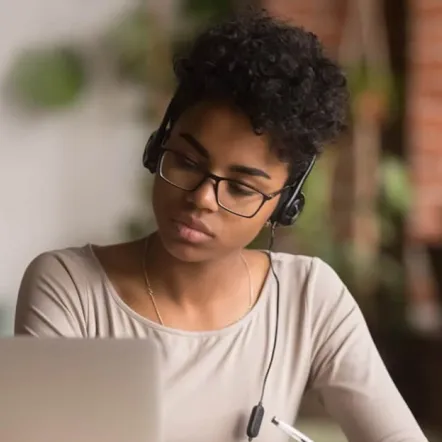
In plain English, AI proctoring is software that acts as the supervisor for an online exam. Instead of a person walking the aisles of a test center, an AI system watches the test-taker through their webcam and microphone, listens for irregularities, and tracks on-screen activity for the duration of the exam. It's built to catch the same behaviors a human invigilator would notice — someone looking away too often, a second voice in the room, an unauthorized app opening — except it does so continuously, for every candidate, at the same time.
The difference from a human proctor isn't that one is "smarter" than the other — it's what each is good at. A human proctor brings judgment: they can tell the difference between a student who glanced at a clock and one who's reading notes taped to a wall. An AI system brings consistency and reach: it never gets tired, never looks away, and can supervise thousands of sessions that no team of humans could staff simultaneously. The strongest systems don't ask you to choose one over the other — they combine AI's constant vigilance with a human proctor's ability to review flagged moments and make the final call.
AI proctoring is now used well beyond the university lecture hall:
Under the hood, most AI proctoring platforms follow the same basic sequence, whether the exam has ten test-takers or ten thousand.
Before the exam starts, the candidate launches the test through a secure browser or app, agrees to the exam terms, and runs a quick system check — confirming their camera, microphone, and internet connection work and that no unauthorized software is running. Many systems also ask the candidate to pan their camera around the room so the online proctoring software (and, in live-review setups, a human proctor) can confirm the workspace is clear of notes, second screens, or other people.
Next, the system confirms that the person taking the exam is the person who registered for it. This typically relies on facial recognition matched against an ID document or a reference photo taken at enrollment, sometimes paired with a live liveness check to rule out a photo or pre-recorded video being used to spoof the camera.
Once the exam begins, the AI continuously analyzes the webcam and microphone feed alongside on-screen behavior. Depending on the platform, this can include gaze direction, head movement, keystroke dynamics, voice detection, the number of faces in frame, tab or window switching, and connected devices. The algorithms are trained to recognize patterns associated with cheating — repeatedly looking off-screen, a second voice answering questions, a phone appearing in frame — and log them as they happen.
When the system detects something unusual, it doesn't automatically fail the candidate — it flags the moment with a timestamp for review. Depending on the proctoring mode, that review happens either in real time by a live human proctor or afterward by a reviewer working through a session log. The result is a report showing what was flagged, how confident the system was, and what a human reviewer decided, which then feeds into the exam's final scoring and audit trail.
AI doesn't get distracted, doesn't take breaks, and applies the same rules to every candidate, whether it's supervising ten test-takers or, on the largest platforms, upward of 10,000 simultaneous exam sessions. That scale comes at a fraction of the cost of staffing enough human invigilators to watch every candidate one-on-one, which is what makes remote testing viable for large certification bodies and universities in the first place.
Humans are still better at reading context. A candidate with a tic, a student using a screen reader, someone momentarily distracted by a knock at the door — these are the situations where a rules-based AI system is more likely to raise a false flag, and where a trained human reviewer can tell the difference between a violation and ordinary human behavior. For exams with serious consequences — a licensing exam, a bar exam, a national certification — most institutions still want a person making or confirming the final call.
In practice, most institutions land somewhere between fully automated and fully human-supervised. A common structure offers three tiers: AI-only review, where the session is recorded and scored purely on automated flags; post-exam review, where AI monitors in real time but a human proctor checks the recording afterward; and live review, where a human proctor actively supervises a group of candidates — typically somewhere between one proctor per 8-20 candidates in a scheduled session, up to roughly one proctor per 150 candidates when AI is doing the heavy lifting of surfacing only the moments that need attention.
Confidently detected: Modern systems are reliable at catching gaze shifts and sustained looking-away, multiple faces appearing in frame, switching away from the exam window or opening unauthorized applications, and a second voice or ongoing conversation picked up by the microphone. Some platforms track upward of 100 behavioral and technical parameters simultaneously, from device detection to keystroke patterns, which is what allows them to publish detection accuracy in the range of 90% for clear-cut violations.
Harder cases: Subtle, ambiguous cues are where AI is weaker — a candidate thinking with their eyes closed, background noise from a shared household, a stutter or tic that looks like suspicious behavior but isn't. Accessibility needs add another layer of nuance: a candidate using a screen reader, requiring extra time, or needing a proctor of a specific gender for cultural or personal reasons isn't a violation at all, but a poorly configured system can misread it as one.
Why false positives matter: A false flag isn't a neutral event — it can mean a stressed test-taker, a delayed result, or an unfair mark against someone who did nothing wrong. Good systems treat every AI flag as a lead, not a verdict: they attach a confidence score, route ambiguous flags to a human reviewer before any consequence is applied, and let institutions configure accommodations in advance so accessibility needs aren't flagged as violations in the first place.
Handing a webcam feed and microphone access to a piece of software understandably raises questions about where that data goes. A typical AI proctoring session collects video, audio, screen activity, and a biometric template used for identity matching — and how long that data is retained, who can access it, and what it's used for should be clearly disclosed before the exam starts, not buried in a terms-of-service page.
Regional law increasingly backs this up with hard requirements. In the US, biometric data used for identification — including the facial data AI proctoring relies on — is treated as sensitive personal information under the California Consumer Privacy Act (CCPA/CPRA), giving test-takers the right to know what's collected and to request its deletion. California has gone further for education specifically with its Student Test Taker Privacy Protection Act, which directly regulates how proctoring companies can collect, store, and disclose students' personal information. In the EU, GDPR governs the same territory, and education-specific frameworks like FERPA (US student records) and COPPA (data from minors) apply depending on who's being tested.
The practical implications for how a system is built matter as much as the policy on paper. Processing sensitive signals like face and voice detection on-device, rather than streaming raw video to a server for analysis, reduces how much personal data ever leaves the candidate's machine. Configurable recording policies — letting an institution choose whether sessions are retained, for how long, and who can review them — give test-takers and administrators more control over exposure than a one-size-fits-all retention rule.
Before committing to a platform, it's worth checking a short list of things that separate a mature system from a rebranded webcam recorder:
Constructor Proctor, part of the Constructor learning platform, is built around the hybrid model described above: AI does the constant watching, and human proctors focus their attention only where it's needed. Its live-review mode lets a single proctor oversee up to 150 test-takers at once, with the AI surfacing flagged moments in real time through a dispatching interface rather than requiring a proctor to watch every candidate's feed continuously.
On the technical side, Constructor Proctor combines a secure browser — which locks down device access, blocks screenshots, and prevents unauthorized apps from running during the exam — with device detection and on-device neural networks that process signals like gaze tracking and voice recognition without needing to send raw footage elsewhere for every check. Optional second-camera surveillance adds a continuous smartphone video stream of the candidate's wider workspace, and built-in accommodation settings let institutions configure things like a female-only proctor requirement or assistive technology support in advance rather than treating them as after-the-fact exceptions.
Princess Nourah University's English Language Institute replaced its paper-based exams with a digital system built on Constructor Proctor's AI-driven proctoring. The result: an 85% increase in student engagement, a 70% reduction in administrative workload, and a 90% drop in academic dishonesty.
You can read more about Constructor Proctor here.
Oui. La plupart des systèmes utilisent une combinaison de détection d'appareils, de vues de l'ensemble de la salle depuis une caméra secondaire, et de la surveillance de l'activité réseau provenant d'autres appareils afin de signaler un téléphone présent dans le champ ou en cours d'utilisation pendant un examen.
En analysant simultanément plusieurs signaux comportementaux et techniques — la direction du regard, les mouvements de la tête, la détection vocale, les schémas de frappe au clavier, le nombre de visages dans le champ, et l'activité à l'écran comme le changement d'onglet — et en signalant les combinaisons de ces éléments qui correspondent à des schémas de triche connus pour examen humain.
Les principales plateformes indiquent un taux de précision de détection d’environ 90 % pour les infractions manifestes, mais la précision à elle seule ne dit pas tout — les systèmes dignes de confiance associent cette détection à un examen humain des moments signalés, afin que les cas ambigus ne jouent pas automatiquement en défaveur d’un candidat. Le marché de la surveillance d’examens en ligne lui-même connaît une forte croissance — passant d’environ 0,7 milliard de dollars en 2022 à 1,74 milliard de dollars projetés d’ici 2028, soit un taux de croissance annuel de 16,2 % — à mesure que davantage d’établissements adoptent ces approches hybrides alliant AI et intervention humaine.
Oui, dans la plupart des configurations. Le partage d'écran ou l'enregistrement d'écran fait partie des pratiques standard de la surveillance d'examen par AI afin que tant le système automatisé que tout surveillant humain puissent voir ce qui se passe sur l'écran du candidat, pas seulement ce que la webcam capte. Cela doit toujours être communiqué au candidat avant le début de l'examen.