Best university LMS platforms for tutoring and course delivery in 2026
14 October, 2026


Most universities run their learning, tutoring, assessment, and scheduling on separate systems. The result: data silos, duplicate logins, and IT teams spending more time connecting tools than supporting faculty. If you are evaluating a new university learning management system, the real question is which platform brings those pieces together.
Constructor Tech gives institutions a single connected platform for course delivery, assessment, proctoring, scheduling, and research. This article compares five LMS options through that lens, so you can see where each one fits and where the gaps show up.
We looked at the criteria that matter most when the goal is fewer tools, not more.
 Tutoring support
Does the LMS help learners when they get stuck, inside the course?
 Course creation and reuse
How easily can faculty build, organize, and reuse materials across programs?
 Assessment
Can you run quizzes and exams inside the LMS?
 Exam integrity
Is proctoring built in, or does it need a separate vendor?
 Scheduling
Does the platform handle course and exam timetabling, or is that another system?
 Integration
Does it connect to your student information system and campus tools through standards like LTI?
Ranked by how well each platform lets a university run fewer systems, based on the criteria above.
| Rank and platform | Best for |
|---|---|
| 1. Constructor Learn | Best overall for running fewer systems: course delivery, an AI tutor, assessment, proctoring, and timetabling on one platform |
| 2. Canvas by Instructure | Institutions that want a widely adopted LMS with a large integration ecosystem |
| 3. D2L Brightspace | Institutions that want automated follow-up on at-risk learners |
| 4. Blackboard Learn | Institutions that put accessibility tools first |
| 5. Moodle | Institutions that want an open-source LMS they can host and customize themselves |
Best for: universities that want to replace several disconnected tools with one platform
Why it ranks first: it is the only platform in this comparison with quizzes, proctoring, and timetabling built in.
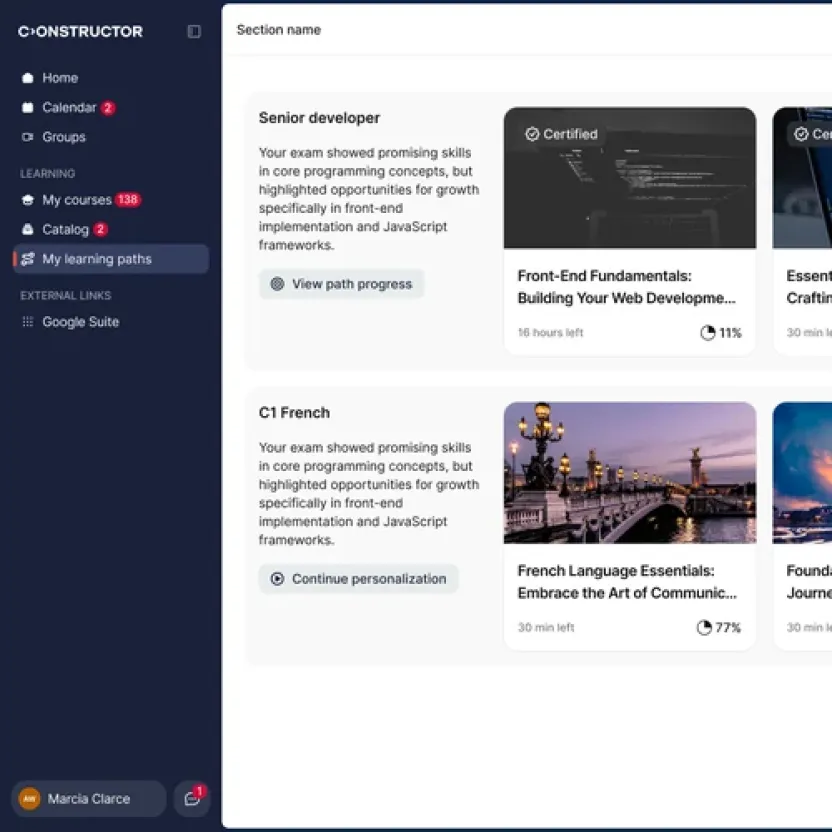
Constructor Learn is the LMS at the center of the Constructor Tech platform. Course creation, delivery, assessment, and reporting share the same data and the same accounts. An AI Tutor answers learners’ questions using their own course materials, and Constructor Proctor and Constructor Schedule connect to it directly for proctoring and timetabling.
Strengths
Limits
Best for: institutions that want a familiar LMS with many third-party integrations
Canvas is one of the most widely used LMS platforms in higher education. Faculty often point to SpeedGrader, which lets instructors annotate submissions and leave feedback without leaving the page.
Strengths
Limits
Best for: institutions that want to act early when students fall behind
Brightspace’s Intelligent Agents can send automatic follow-ups when a student is inactive or drops below a grade threshold. Release conditions let instructors show content based on what a learner has completed.
Strengths
Limits
Best for: institutions where accessibility is the top requirement
Blackboard Learn, now part of Anthology, has served higher education for decades. Blackboard Ally converts course files into alternative formats such as audio and electronic braille, so more students can access materials without extra work from faculty.
Strengths
Limits
Best for: institutions that want to host and customize their own LMS
Moodle is open source and widely used by universities, especially in Europe. Institutions can host it themselves or use a hosting partner, and extend it with a large library of plugins.
Strengths
Limits
| Platform | Quizzes and exams | Built-in proctoring | Course and exam timetabling |
|---|---|---|---|
| Constructor Learn | ✓ | ✓ | ✓ |
| Canvas | ✓ | Third-party | Separate system |
| D2L Brightspace | ✓ | Third-party | Separate system |
| Blackboard Learn | ✓ | Third-party | Separate system |
| Moodle | ✓ | Plugin or third-party | Separate system |
Every separate system adds a login, a data format, and a support contract. Students switch between tools, and staff copy data between them.
On a connected platform, one action updates the rest. An exam result appears in the learner’s progress, and the faculty dashboard updates without manual exports. For IT teams, that means fewer integrations to maintain and fewer vendors to review for security and data protection.
1. List your workflowsCourse delivery, tutoring, assessment, exam integrity, and scheduling. Note which tool covers each one today.
2. Check what is nativeFor each platform, check which workflows it handles itself and which need another vendor.
 3. Check the basics
Student information system integration, accessibility, LTI support, and reporting that covers more than one workflow.
Bring your current tools, programs, and exam volume. We can walk through how course delivery, assessment, proctoring, and timetabling would work on one platform for your institution.