Constructor Learn vs Canvas: a Canvas alternative for universities
21 October, 2026


Constructor Learn and Canvas LMS both give universities a place for courses, assignments, and grades. A useful comparison asks how faculty build and mark coursework, how exams are secured, and which extra tools sit beside the learning platform.
Evaluate Constructor Learn if you want courses, AI-assisted grading, and proctored exams in one suite. Evaluate Canvas against the same requirements, including its LTI app ecosystem. The right choice depends on the teaching and assessment workflow your faculty can run consistently.
Canvas connects to third-party tools through LTI. Constructor Learn supports LTI too, and keeps proctored exams and a secure browser inside the same suite.
| Requirement | Constructor Learn | Canvas LMS |
|---|---|---|
| Core product | Courses, assessments, and reporting, with proctored exams and live classes in the same suite | Canvas LMS, with other tools connected through LTI |
| AI support | AI Tutor that only discusses content a student has unlocked; AI-assisted grading with instructor approval | Ask Instructure for the current AI feature scope |
| Exam integrity | Proctored exams (human or AI monitoring) and secure browser mode in the same suite | Confirm which proctoring tools your institution connects through LTI |
| Integrations | LTI, SSO / OIDC, SIS through an Open API, Turnitin, Zoom, and Google Classroom | LTI 1.3 integrations |
| Deployment | Public page lists cloud, private cloud, and on-premise | Cloud-hosted on AWS; ask about UK data residency |
| Ownership | Constructor Tech | Instructure, taken private by KKR-managed funds in November 2024 |
Marking load is where a learning platform earns or loses faculty support. Pick one module with real assignments and rubrics, and mark it on both platforms.
Constructor Learn's AI-assisted grading drafts marks and feedback, and the instructor confirms or overrides every one. Record how long marking takes and how easily a second marker can check the decision.
Write down which assessments need a timed exam, a secure browser, or a proctor. Then check where each one runs on each platform.
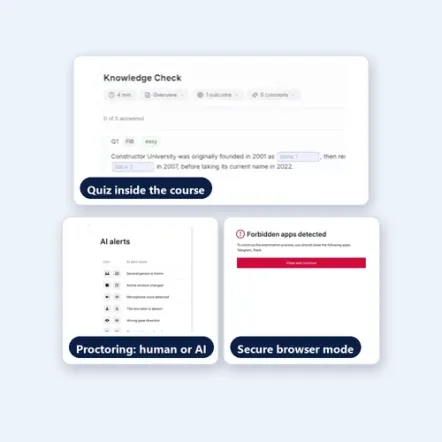
In Constructor Learn, quizzes run inside the course, and proctored exams (human or AI monitoring) and a secure browser mode are built into the same suite. With Canvas, ask whether each exam runs in the learning platform itself or in a separate tool with its own contract, login, and support route.
Students already use general AI tools. A tutor inside the course can support learning without doing the work, as long as it is limited.
Constructor Learn's AI Tutor only discusses content a student has already unlocked. Ask your academic integrity lead to test it with real questions before you decide.
If your organisation has rules on where data is processed, give them to both vendors before the demonstration. Include retention, who needs access, and which documents procurement requires.
Constructor Learn's public product page lists cloud, private cloud, and on-premise deployment. Canvas runs on AWS, so ask Instructure where your institution's data would be hosted. Confirm the proposed architecture, data-processing terms, and UK GDPR obligations in writing.
Use the same evidence standard for both vendors. An item not established by public sources should be raised as a question, not treated as a missing feature.
Two checks will turn the comparison into a decision.
Constructor Learn merits a pilot when you want courses, marking, and secure exams in one suite. Canvas merits a pilot when its LMS and the LTI tools you already use fit the same module.
Ask both vendors to price the same student numbers, integrations, support level, and migration help. Include any third-party tools you would still need, such as proctoring.
Constructor Learn lists Turnitin and SIS connections through its Open API. Confirm your exact versions in a pilot.
Constructor Learn imports SCORM packages and XML question banks, and embeds external tools through LTI. Ask both vendors to review a sample course before you commit, because some content may need rebuilding.
Proctored exams with human or AI monitoring, and a secure browser mode, are built into the same suite. Whether that replaces your current tool depends on your exam policy, so test your hardest exam in the pilot.
See how Constructor Learn compares with other learning platforms.
Compare assessments, reporting, HR integrations, and hosting.
Compare what your renewal covers, testing, and learning records.
Compare before you convert Original courses to Ultra.
Explore Constructor Learn with the people who teach, mark, and run exams. Bring a real module and its assessment so the demonstration answers your faculty's questions.