Constructor Learn vs eloomi: an eloomi alternative for corporate training
21 October, 2026


Constructor Learn and eloomi both deliver training, track progress, and report on learning. eloomi has been part of Dayforce since February 2024 and is sold standalone or inside Dayforce's HCM suite. A useful comparison asks how each product fits the HR system you already run, and how you test and report on learning.
Evaluate Constructor Learn if you want a learning suite with assessments and proctored exams that connects to your HR system through SSO and an Open API. Evaluate eloomi against the same requirements, especially if you run Dayforce. The right choice depends on your HR stack and the reporting your managers need.
eloomi lists integrations with LinkedIn Learning, Microsoft Teams, and more than 40 HCM platforms. Constructor Learn connects through SSO / OIDC and an Open API.
| Requirement | Constructor Learn | eloomi |
|---|---|---|
| Company | Constructor Tech, an education-software company | Part of Dayforce since February 2024 |
| Core product | Courses, assessments, reporting, and certificates, with proctored exams and live classes in the same suite | LMS and LXP, sold standalone or inside Dayforce HCM |
| HR systems | SSO / OIDC and an Open API for HRIS and CRM | LinkedIn Learning, Microsoft Teams, and 40+ HCM platforms including Dayforce |
| Exam integrity | Proctored exams and secure browser mode in the same suite | Ask which assessment and exam options apply to your programme |
| Content standards | SCORM import, LTI, and XML question import | SCORM 1.2 and 2004, per a third-party compatibility test |
| Deployment | Public page lists cloud, private cloud, and on-premise | Cloud on Microsoft Azure |
If you run Dayforce, eloomi's place inside that suite is a real consideration. If you run another HR system, check how each learning tool connects to it: who is enrolled, how job changes flow through, and where completions are written back.
Constructor Learn uses SSO / OIDC for sign-in and an Open API for HR and CRM data. Test the same joiner, mover, and leaver scenarios on both platforms.
Reporting is where training tools are judged after go-live. List the three reports your managers need each month, and ask both Constructor Tech and eloomi to build them during the pilot.
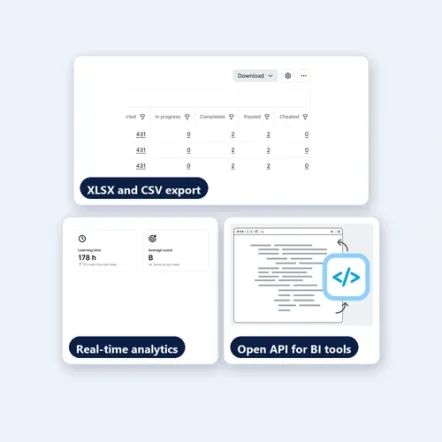
Constructor Learn offers real-time analytics with drill-down, XLSX and CSV export, and an Open API for BI tools. Measure how long each report takes to produce, and who can see it without an administrator's help.
If staff must pass a test to stay certified, include that test in the pilot. Check how each product records a pass, a fail, and a retake.
Constructor Learn issues certificates that can carry an expiry date, so you can see who needs to recertify, and it runs proctored exams in the same suite.
Most of a switch is content and people. Constructor Learn imports SCORM packages, brings question banks in through XML, and embeds external tools through LTI. Learners sign in with the SSO you already run, such as Microsoft Entra, Google, or Okta.
Ask both vendors for a written migration plan: what moves, in what order, who does the work, and what happens to completion records from your current system.
Two checks will turn the comparison into a decision.
Constructor Learn merits a pilot when you want training, testing, and reporting in one suite that works with your HR system. eloomi merits a pilot when its LMS, LXP, and Dayforce connection fit the same programme.
Ask both vendors to price the same number of users, integrations, content, and migration support. Include the time your team will spend connecting the HR system.
Yes, if your learning needs go beyond what you run today. Compare both against the same programme, and include integration effort in the price.
SCORM packages and XML question banks import directly. Content built in a proprietary format may need rebuilding, so ask both vendors to review a sample before you commit.
Constructor Learn gives real-time progress and analytics with drill-down, and exports to XLSX or CSV. Check that the role permissions match how your managers work.
See how Constructor Learn compares with other learning platforms.
Compare assessments, reporting, HR integrations, and hosting.
Compare marking, exams, AI support, and integrations.
Compare what your renewal covers, testing, and learning records.
Compare before you convert Original courses to Ultra.
Explore Constructor Learn with the people who run your training and your HR systems. Bring a real programme and its assessment so the demonstration answers your team's questions.