Constructor Proctor: December 24, 2024
24 December, 2024


In Release 26, we've made the following updates:
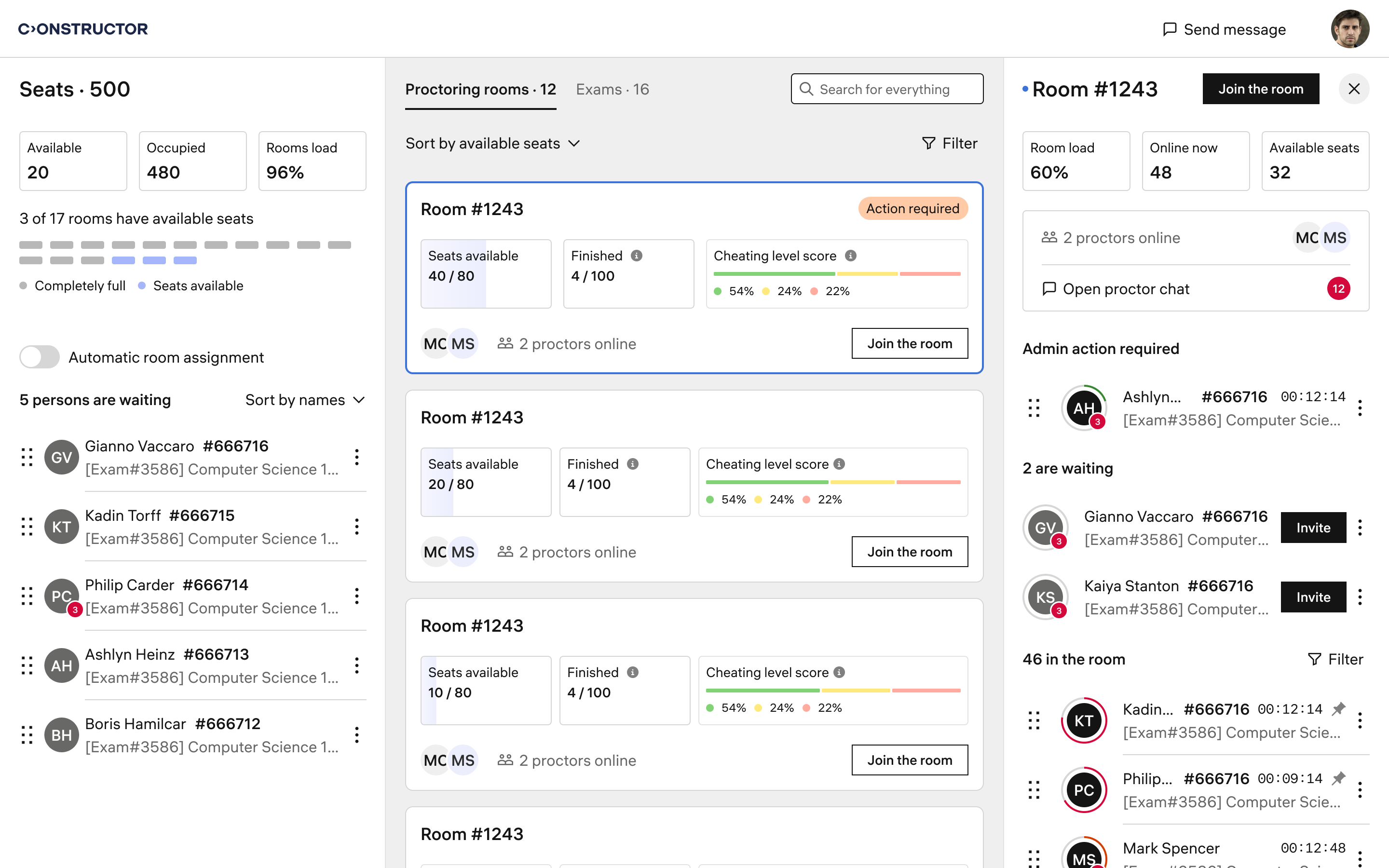
Test administrators can manage the live proctoring process using the Rooms interface. Through this interface, they can view a list of all active proctoring rooms and the proctors and learners assigned to each room.
Administrators can now move learners between proctoring rooms. This functionality is useful when assigning a learner to a specific room with a designated proctor or when balancing workloads among proctors.
Learners now receive an audio notification whenever a proctor sends a new message in the chat room. This ensures learners are promptly alerted and do not miss important incoming messages.
Game Bar is a built-in Windows application that allows users to capture videos and screenshots while playing games. From a proctoring perspective, however, this feature is a potential vulnerability and could be exploited for cheating.
To address this, we've improved our Secure Browser so that access to the Game Bar is blocked for the full duration of the proctored exam in 'High' or 'Medium' security modes.
With the updated Moodle plugin, test organizers can now independently set the Secure Browser mode for each exam. Previously, it was only possible to select a single mode for all exams.
The plugin also allows test organizers to specify lists of allowed and forbidden processes.






