Run Constructor Platform in any public cloud or on your own servers
The Installer sets up the full platform on infrastructure you or your customers control and keeps it up to date with each release.



Constructor Platform Installer deploys the full platform onto infrastructure you or your customers control, so data stays where your rules require it. You get the same apps as in our cloud, with regular updates.
Global providers, or local and national clouds that meet a country's sovereignty rules. Your account, your region, your data.
Install onto servers in the customer's own data center, for security, sovereignty, or procurement rules that require owned infrastructure.
Some customers must run the platform on their own infrastructure, because of regulation, a tender requirement, or their security policy, but don't want to build their own platform team. A local partner can install and run it for them.
Set it up on your customer's servers as a single-tenant installation.
They meet their on-premise rules with the support of a local partner.
Sell them alongside the licenses and stay in touch with every customer.
Choose a single-tenant setup for one customer, or a multi-tenant setup for customers and partners serving many organizations.
For partners serving customers in their region. One installation serves many customer organizations. Each customer gets its own isolated organization on its own subdomain, and the partner operates one platform for all of them.
For customers. An institution installs Constructor Platform for itself only, as one organization on its own domain.
Constructor Platform is always installed. It provides administration, users, and shared services.
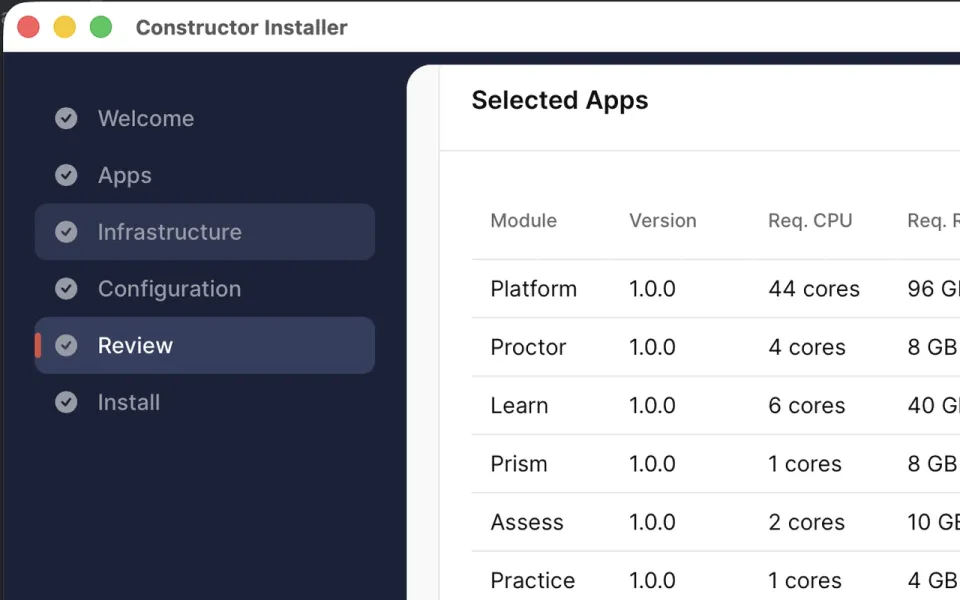
On top of it, choose the apps: Proctor, Learn, Prism, Assess, Practice, Groups, Hypothesis, and Schedule. The Installer shows the resources each one needs, and you can add more apps after the first installation.
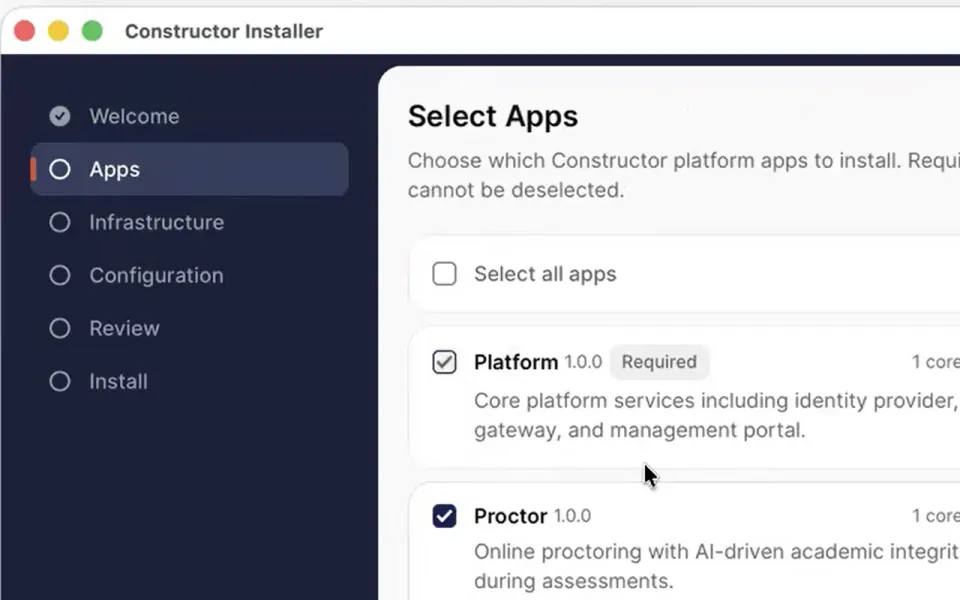
Use the guided desktop app, or the command line for scripted and repeatable installations.
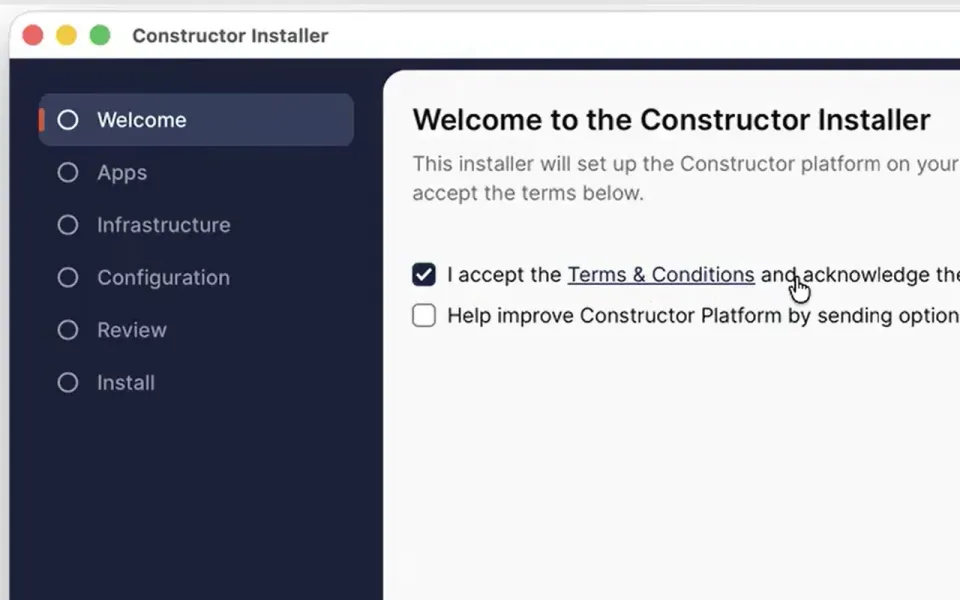
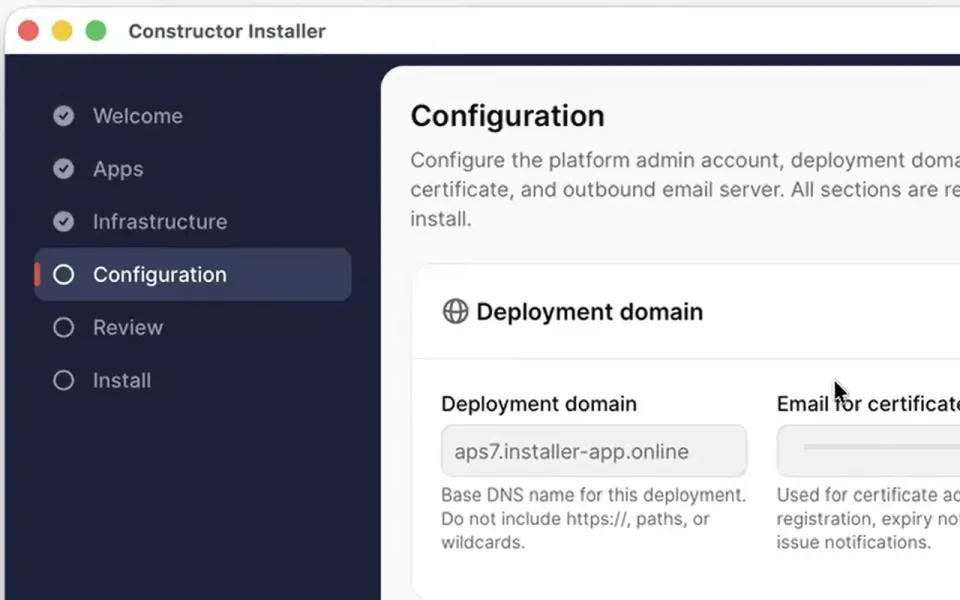
Choose the apps, then enter the infrastructure and configuration details: the deployment domain, certificate, outbound email, and the first administrator account.
Check the selected apps, the resources they need and your configuration, then start the installation.
The Installer sets up Kubernetes, the database, and the platform, then installs each app you selected.
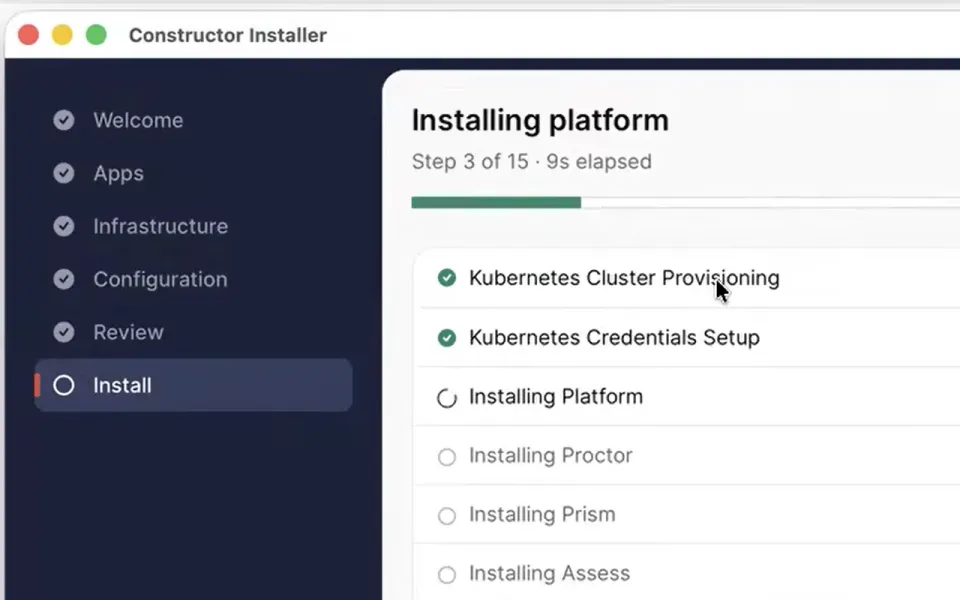
Sign in as the first administrator and finish setup in the admin panel. When Constructor publishes a new release, the Installer updates the installed apps, adds any apps you choose, and updates itself.
Step-by-step instructions for preparing your infrastructure and installing the platform. Partners receive the guide by email, together with the Installer.
Get help from the Constructor team during and after installation.

We match your business email with our partner records and send recognized partners the Installer and the installation guide.

Not a partner yet? Our team contacts you to discuss your deployment and the right way to install it.