Constructor Model: January 2025 update
31 January, 2025


We’ve updated our API to simplify model publishing and widget management. Users can now modify publishing settings with the update_knowledge_model method and adjust widget settings using the patch_KM_widget and get_KM_widget methods.
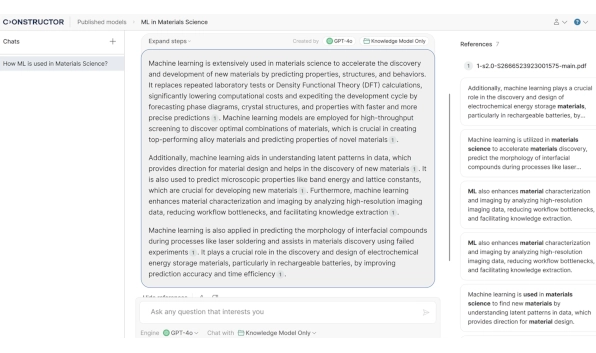
Users can now open and view referenced documents directly within the chat interface. This feature supports standard document functions such as scrolling and zooming, making it especially useful for PDFs. It lets users quickly verify sources without leaving the chat, enhancing the overall experience and increasing trust in model responses.
Our models now support HTML files, allowing users to incorporate web-based documents into their knowledge base. This update expands content compatibility and accessibility.
We’ve introduced a new stateless API method that allows users to send independent requests to knowledge models (KMs) without maintaining a session. This method supports chat history, role-based information, and parameters such as model ID, model name, temperature, and top-k. This update enhances flexibility and efficiency in KM interactions.
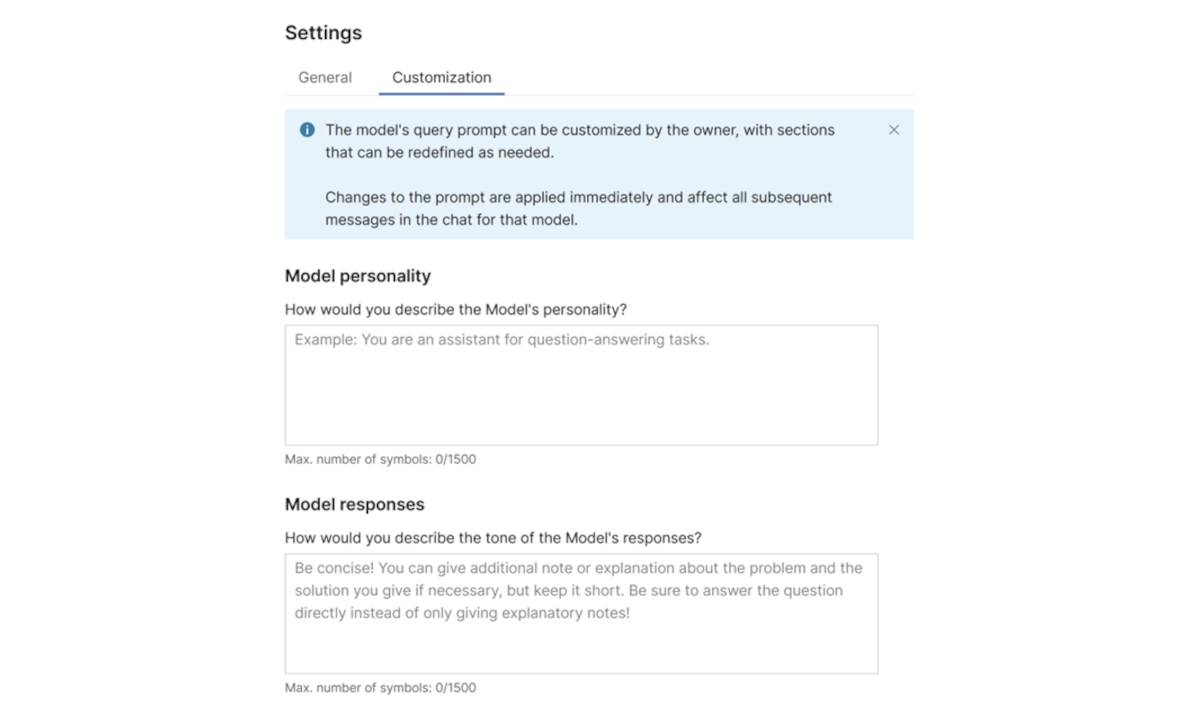
Model owners can now configure the model’s persona and tone in the settings to define its interaction style. This customization enables responses that align with different audiences, reflect brand identity, and offer tailored support.
Users can now include optional metadata, such as external references, when uploading documents via API. If metadata is provided, it will replace the uploaded document in references, enabling more dynamic and informative responses.
If a model references an image while generating a response, that image will now be included in the reference list. This feature provides users with more prosperous, more informative responses.
Developers integrating the KM API into custom applications can now receive responses in a structured JSON format. This update simplifies parsing, processing, and workflow integration, reducing the need for manual formatting.
The Knowledge Browser now features a new graph-building approach, offering a more intuitive and efficient browsing experience. This update is available after updating model data by uploading new files or modifying existing settings.
Users can now upload multiple files directly to a selected directory. The file limit has been increased, simplifying updating knowledge models with new data.






