Constructor Assess: November 2025 update
November 30, 2025


This November, we’re excited to announce a major update to Constructor Assess, delivering powerful new features and integrations to streamline grading, enhance academic integrity, and provide a seamless experience for both instructors and learners.
Administrators can securely connect their institution’s Turnitin license, enabling automated plagiarism checks for all assignments.
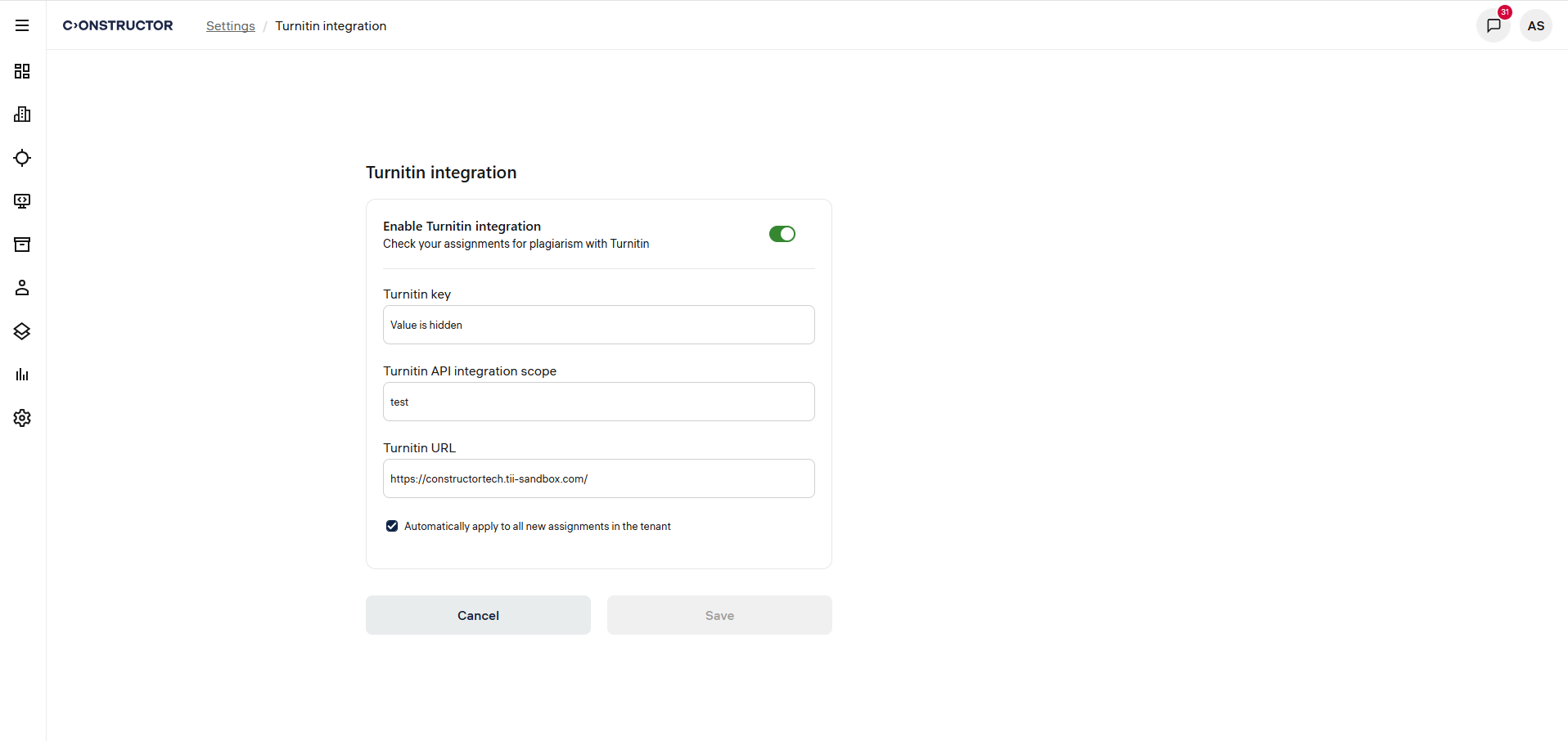
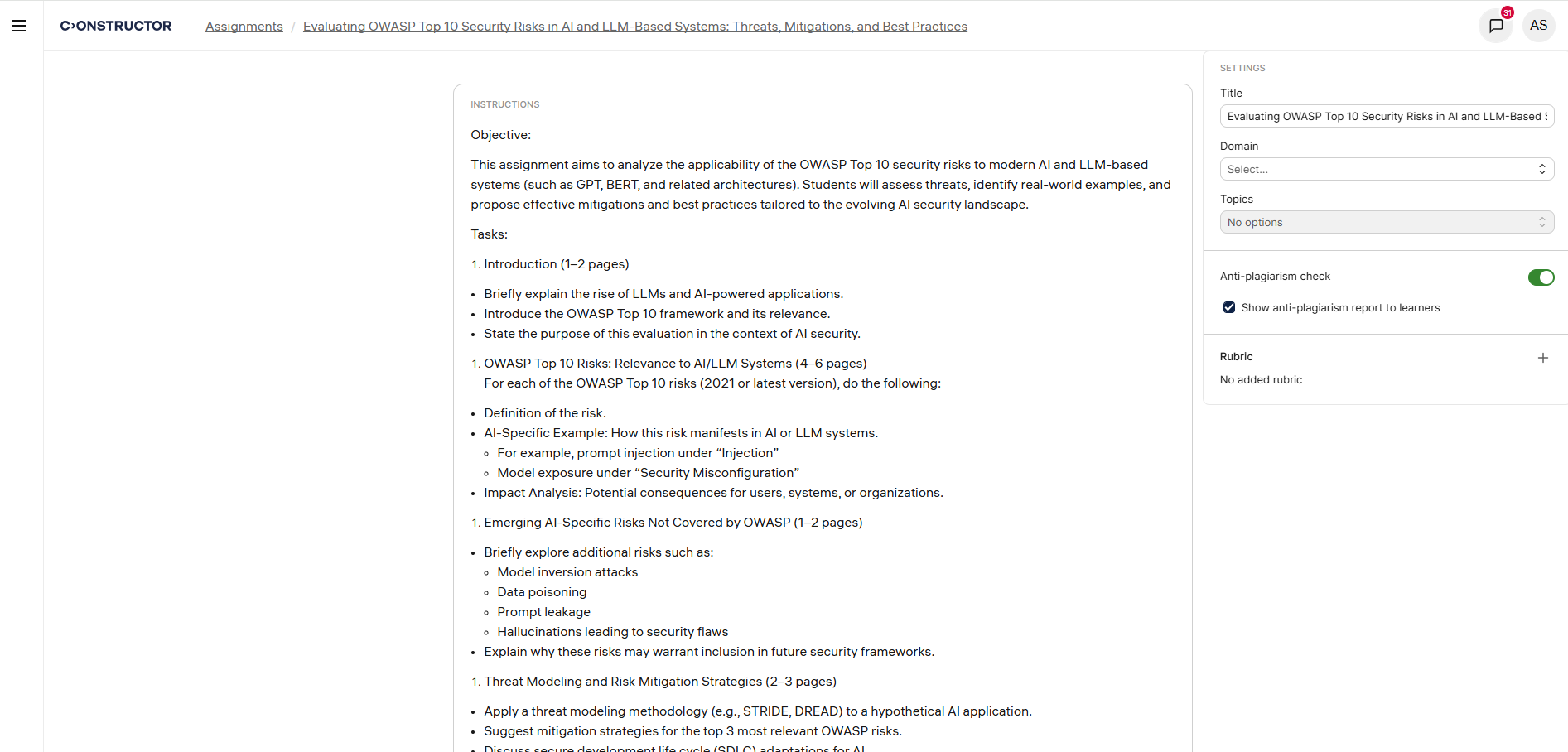
Instructors can enable or disable Turnitin plagiarism detection for assignments and control whether learners can view their similarity reports.
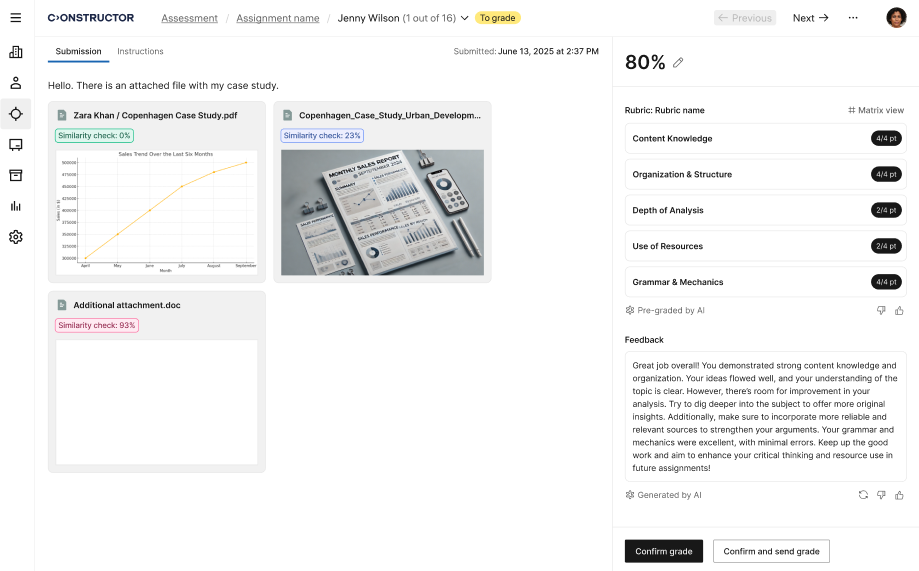
Instructors also have access to detailed Turnitin similarity scores and full similarity reports directly in the grading interface.
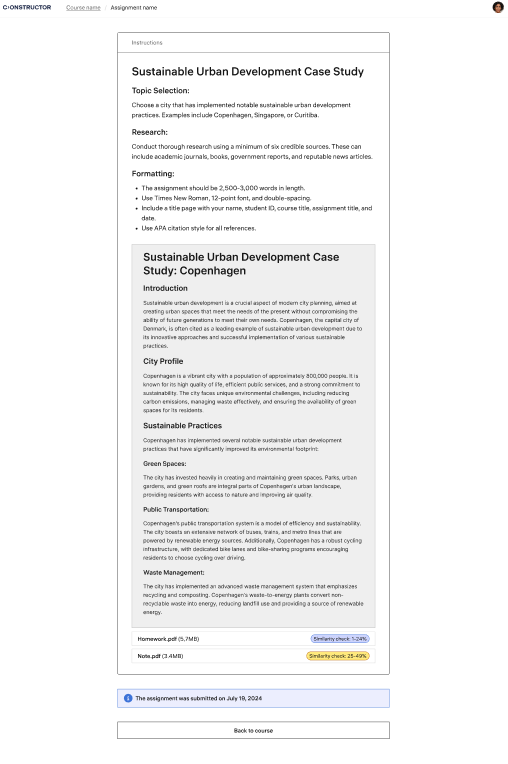
View Turnitin originality reports (when enabled by the instructor), supporting transparency and learning.
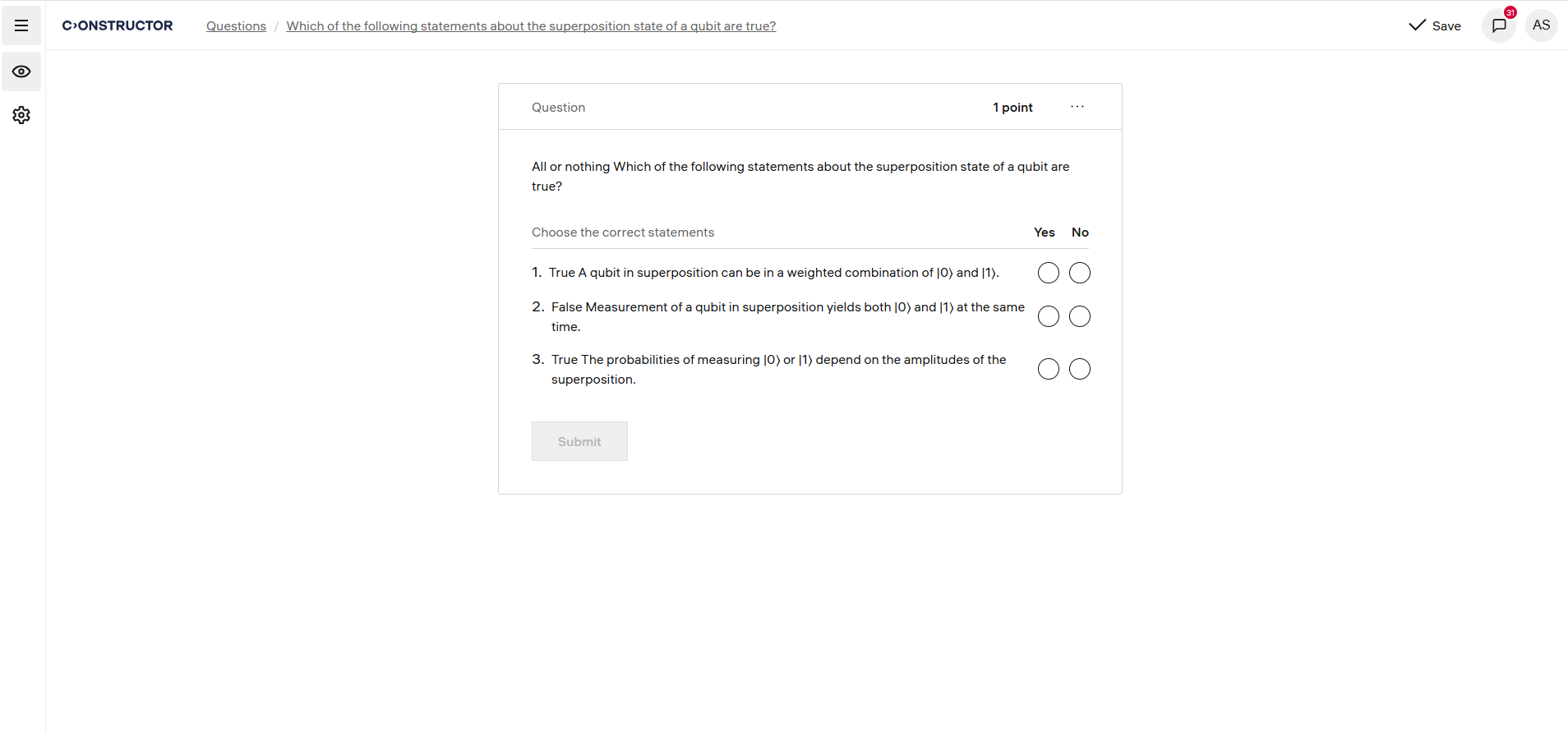
We’ve unified the Kprime (True or False) format into a new Multiple True or False question type. Now, there are no limits on the number of answer options, and our updated scoring logic ensures precise evaluation.
Our AI-powered grading engine now evaluates free-form assignments using instructor-created rubrics, ensuring fair and transparent scoring. Instructors can define detailed criteria, and the AI will automatically assess submissions—even when learners upload multiple files.
Constructor Assess now connects with Canvas LMS, enabling automatic AI-powered grading and feedback for learner submissions.
With this update, instructors can review AI-generated feedback and rubric-based scores directly in Canvas SpeedGrader, which removes the need for manual data transfers and makes grading faster and more consistent.
Key features include:






