Constructor Model: April 28, 2026
28 April, 2026


In this release, we've added the following features:
The web access tools are available in Settings > Web access.
These tools are available for knowledge models in the Knowledge Model Only mode.
By default, all web access tools are turned off.
The new Web access page brings all web-related tools together in one place. From here, you can turn each tool on or off and adjust its settings for your knowledge model.
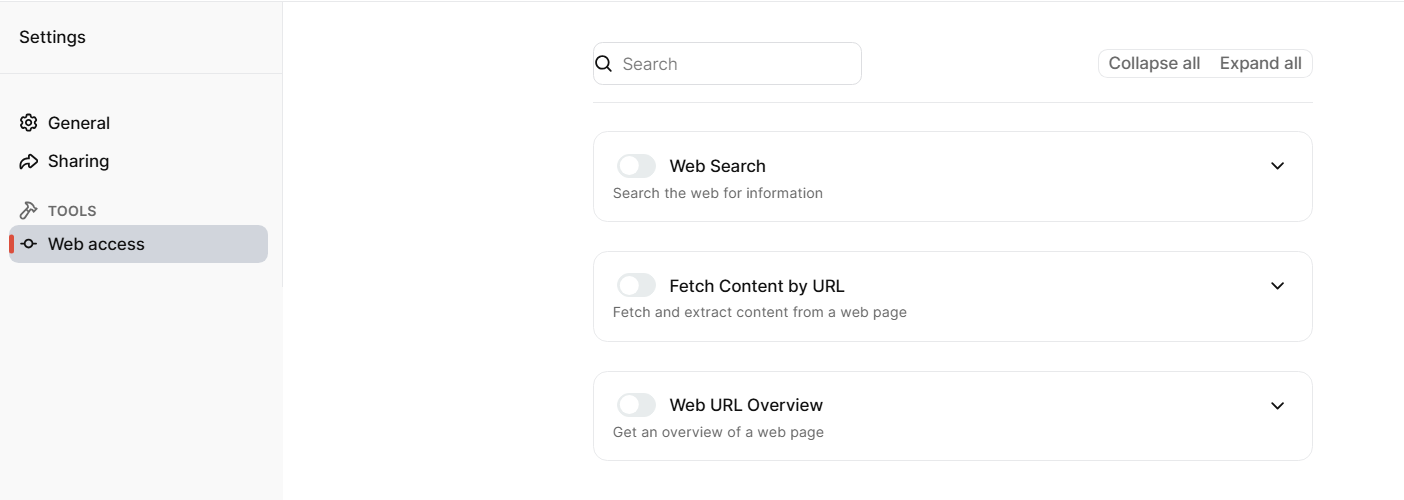
Web access page
You can now enable Web Search for a knowledge model.
This tool lets the model search the web for relevant information and use the results to enrich its context. You can limit the search to trusted websites by filling in Sites List. If Sites List is empty, the tool searches across the whole internet.
You can also control how many results are returned, how many fetches can run at the same time, and whether the tool returns only snippets or fetches full page content from the found URLs.
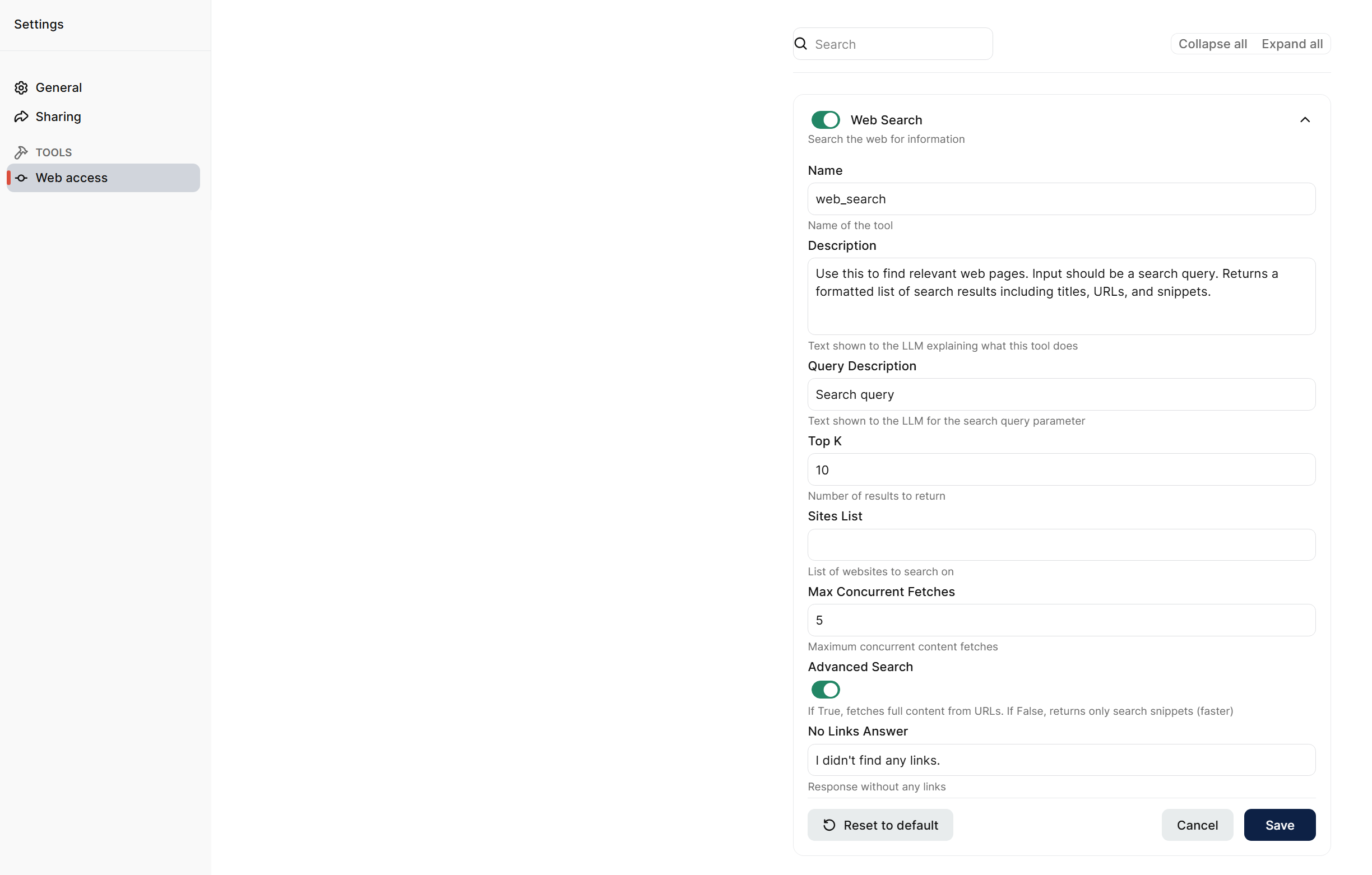
Web Search settings
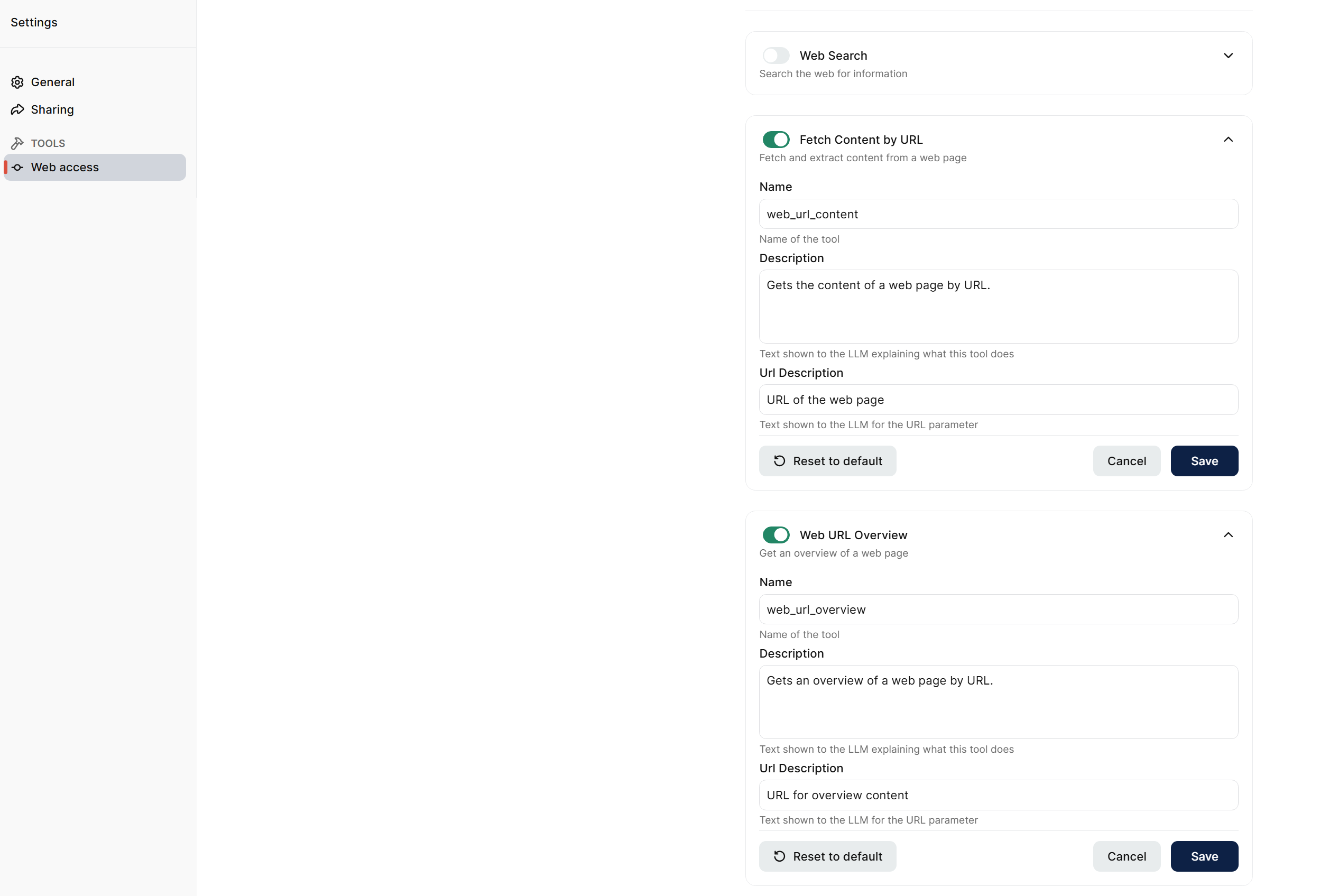
You can now enable Fetch Content by URL for a knowledge model.
This tool lets the model fetch and read the content of a specific web page when a URL is provided in chat. It is useful when the exact page is already known and the model needs the page content itself.
You can now enable Web URL Overview for a knowledge model.
This tool lets the model get a short overview of a specific web page when a URL is provided in chat. It is useful when a quick summary is enough and the full page content is not needed.