Constructor Practice: February 4, 2026
04 February, 2026


In this release, we expanded Science Labs availability in Learn and introduced graded submission review for Practice science experiments. All Science Labs experiments are now accessible in Learn, and learners can review graded submissions with detailed results and teacher feedback.
All 160+ Science Labs experiments are now available directly in Learn.
Teachers can assign any Science Labs experiment in their courses, giving learners access to the complete set of hands-on experiment activities in a single platform.
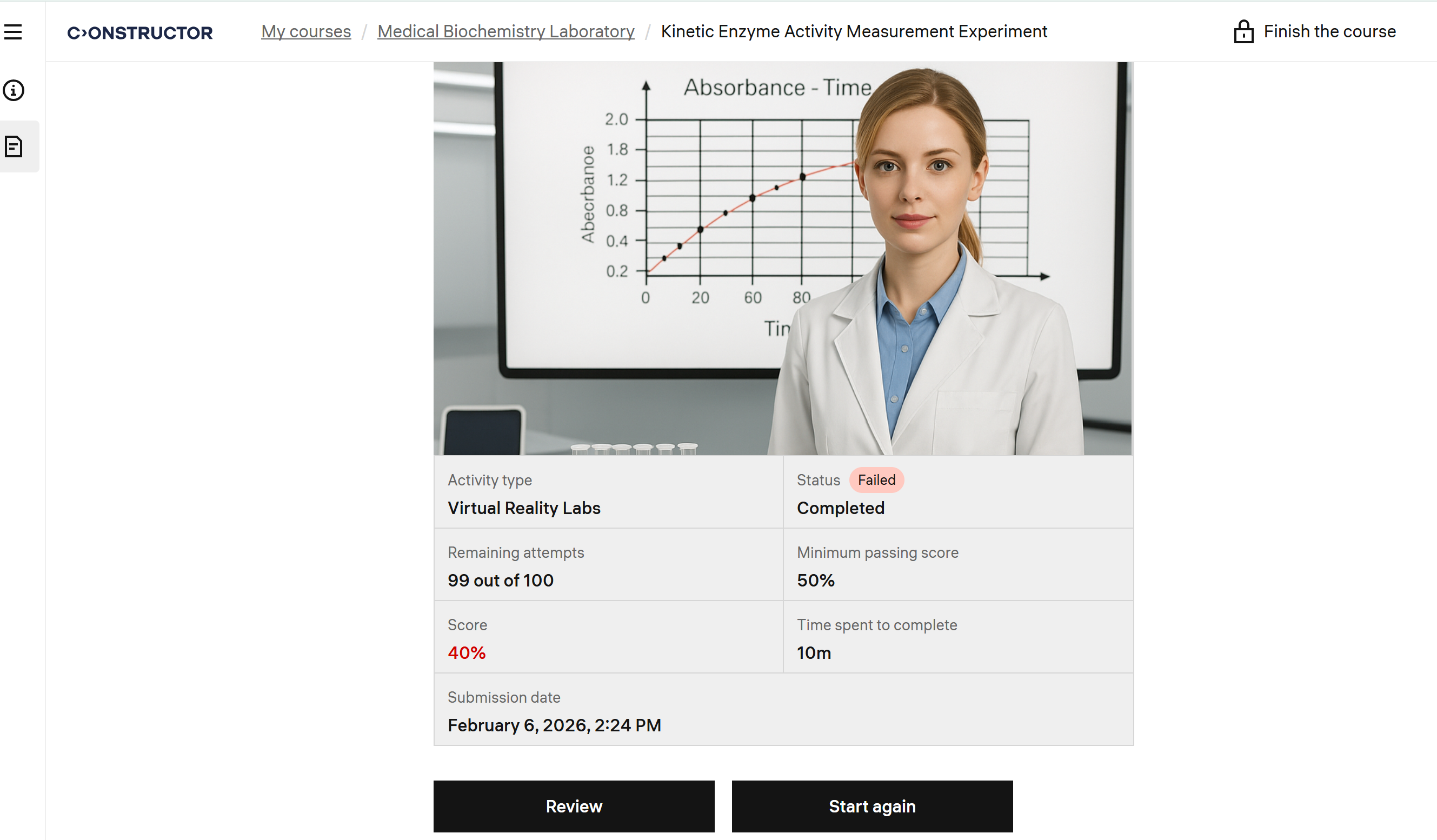
Learners can now review graded Science Labs experiments they submitted.
Previously, learners could only see the final score. Now they can click Review and open a read-only graded view to understand results and feedback without creating a new attempt.
The review screen shows structured grading details for each question:
Visual indicators and color cues highlight correctness, and only the most recent graded submission is displayed.
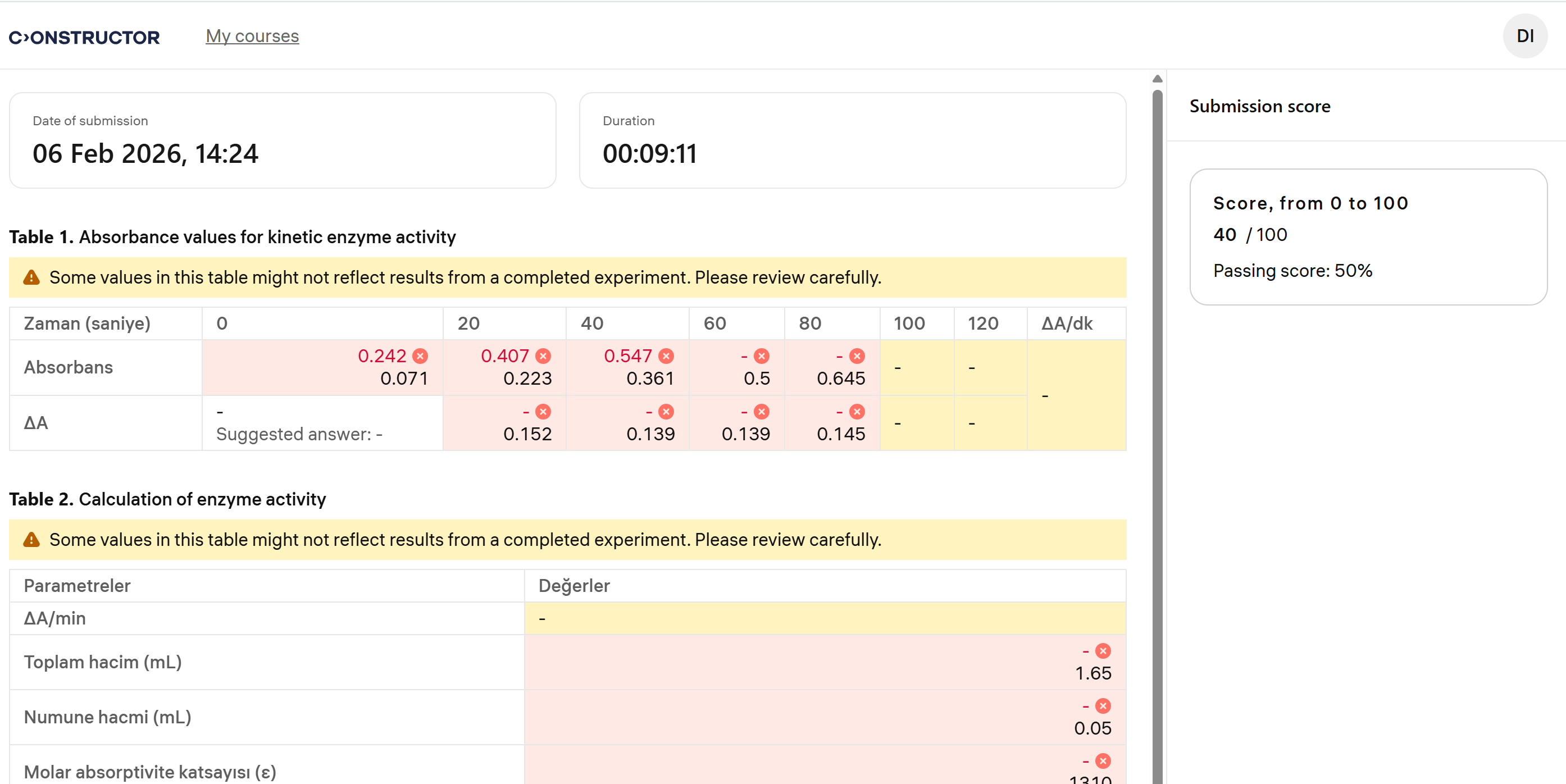
Learners can use graded reviews to:
The graded feedback remains available for learners to revisit it at any time, unless restricted by the course settings.
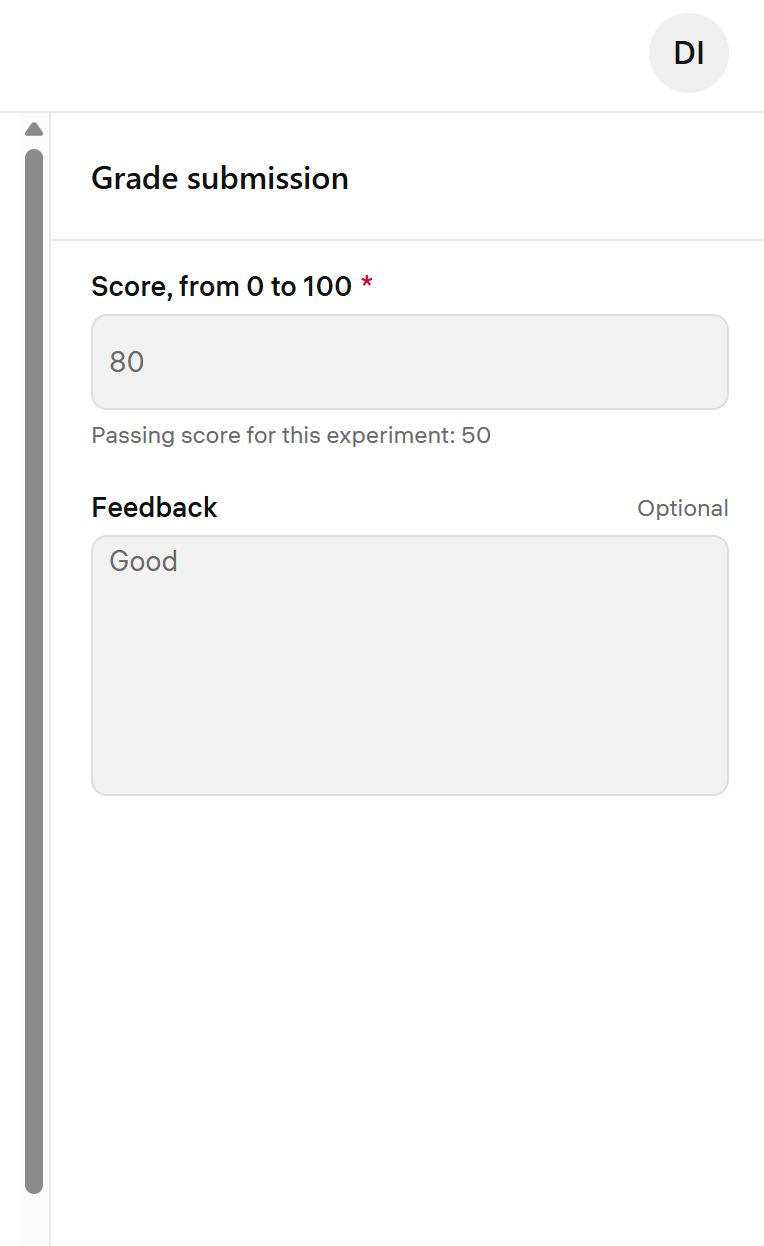
To ensure grading integrity:
The interaction model matches the review behavior used in other Learn activities, which ensures a consistent and familiar learner journey.






