Overview
In this release, we added the following updates:
- Configurable gap duration between consecutive exams
- Constructor Cloud Experience Phase 3
- Two-factor authentication toggle removal for platform environments
What's new
Configurable gap duration between consecutive exams
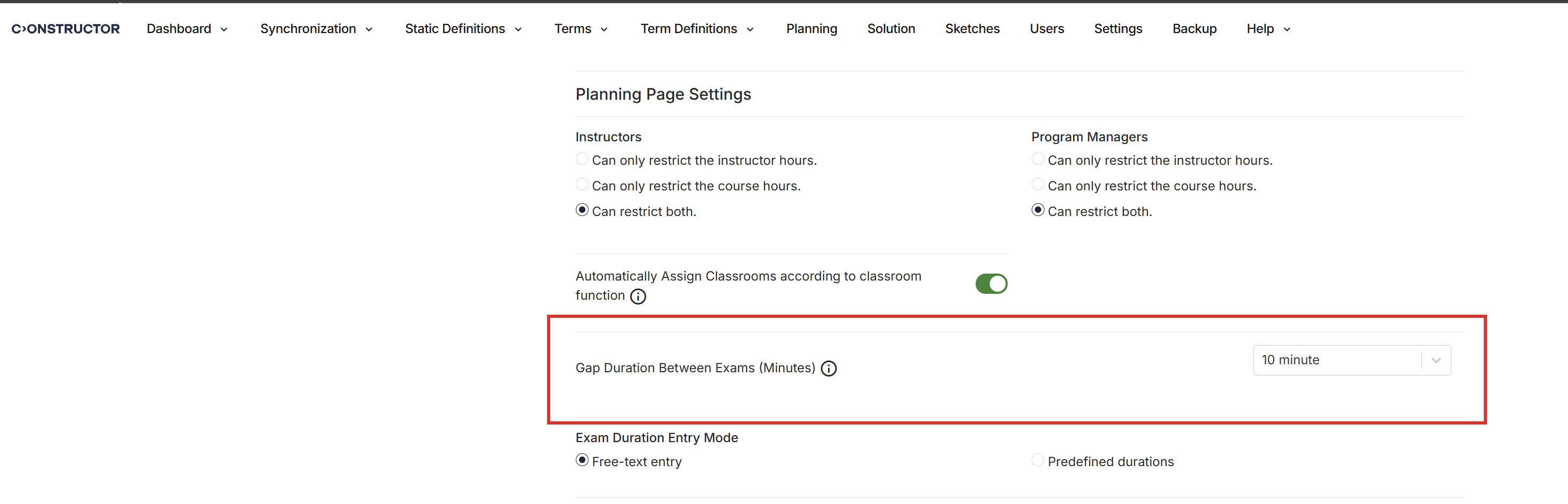
Institutions can now configure the gap duration between consecutive exams assigned to the same classroom instead of using a fixed 10-minute buffer.
The setting is available under Settings > Planning Page Settings and provides values from 0 to 120 minutes in 5-minute increments. The default value is 10 minutes, which matches the previous behavior.
When the exam duration plus the configured gap exceeds the current slot allocation, the system increases the slot count automatically. Validation rules, including predefined exam duration checks and Excel import validations, now use the configured value.
Constructor Cloud Experience Phase 3
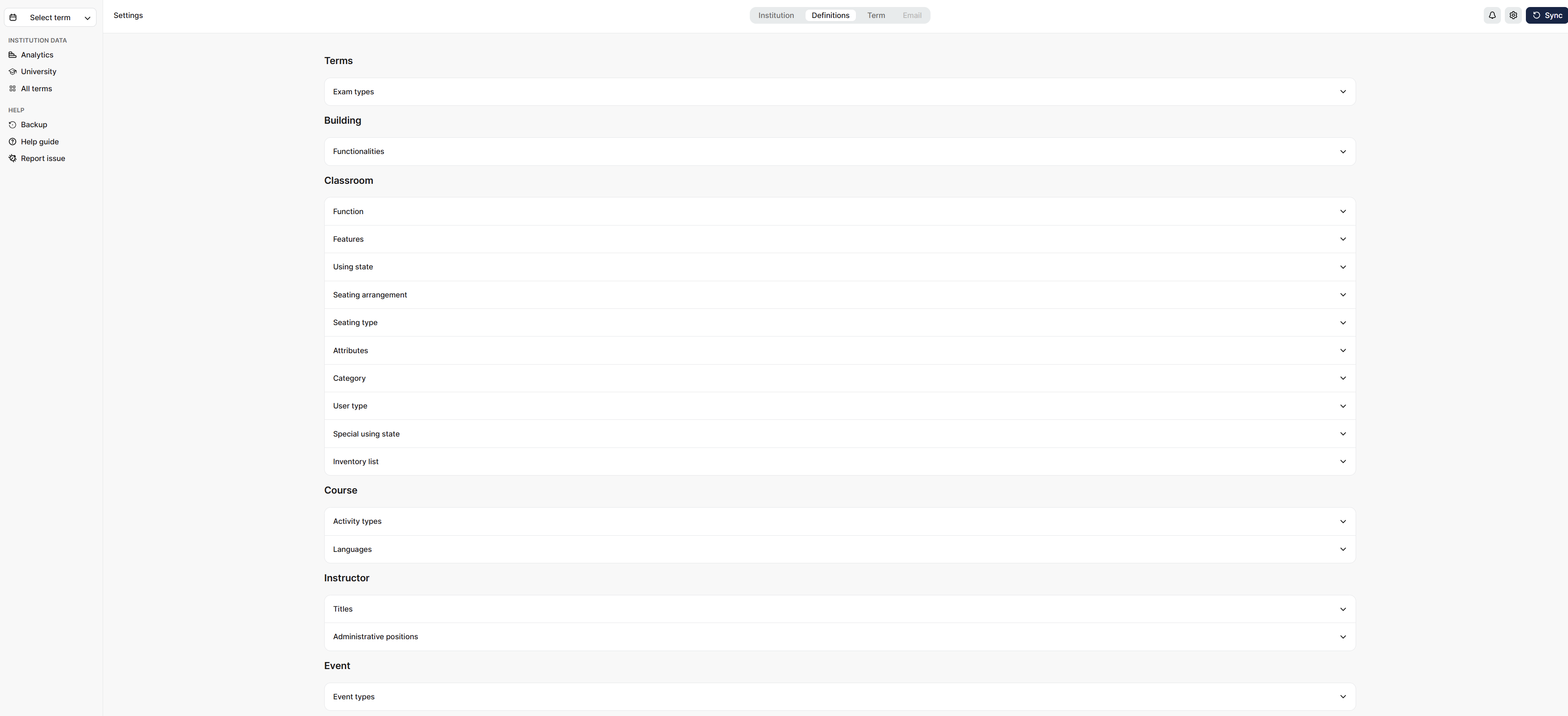
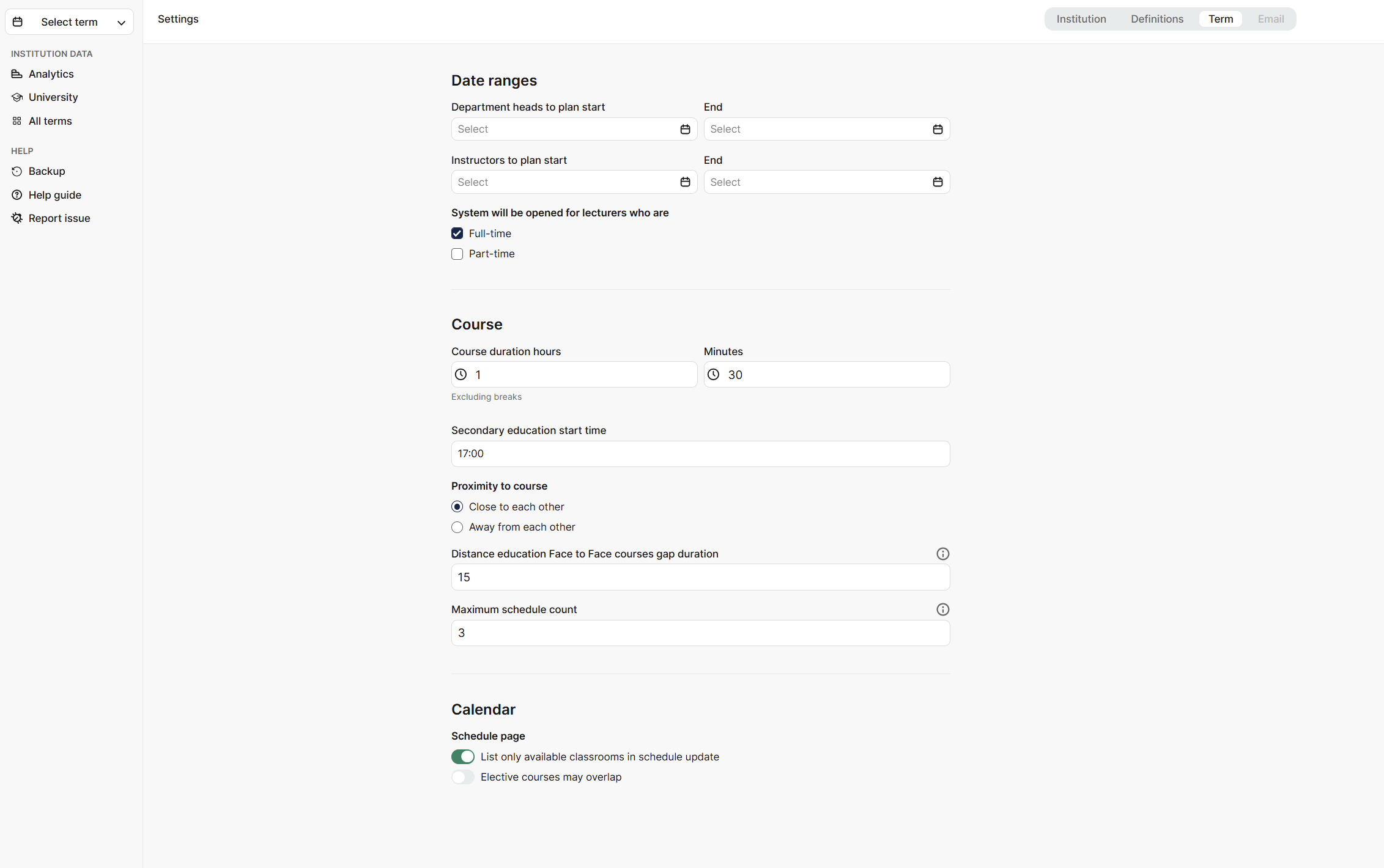
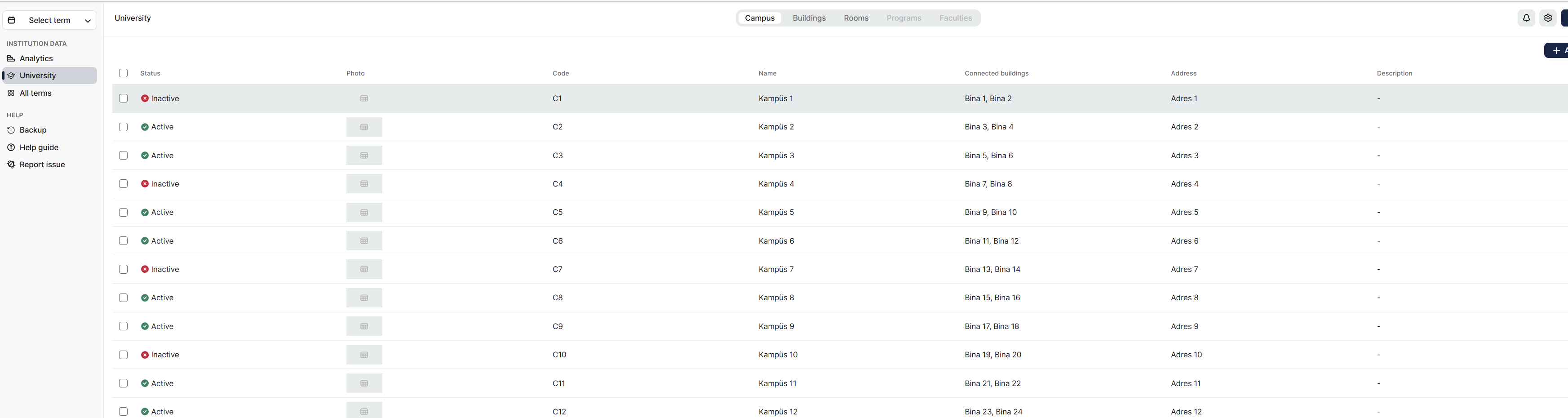
Schedule now includes redesigned Analytics, Settings, Notifications, and campus management screens as part of Constructor Cloud Experience Phase 3.
The Settings page now uses a tabbed shell with routing and autosave functionality. The campus list uses the new data grid component, and a new side sheet interface supports adding and editing campuses. The application header and side menu have also been updated to align with the Cloud design system, and the sidebar term selector now supports smoother period navigation.
Two-factor authentication toggle removal for platform environments
When Constructor Schedule is deployed with the Constructor Platform identity provider (CONSTRUCTOR_IDP), the two-factor authentication toggle no longer appears on the Settings page.
This prevents conflicts between Schedule's local two-factor authentication settings and the Platform's centralized authentication management.
Fixed issues
We have addressed the following issues:
- Planning action database error: Certain planning actions no longer fail because of a database operation error. Tracking IDs:
SCH-3884
- Excel load pop-up information: The pop-up shown after Excel file loading now displays the correct information. Tracking IDs:
SCH-4567
- Change Password localization: Localization in the Change Password section now appears correctly. Tracking IDs:
SCH-4670
- Downloaded report descriptions: Descriptions of downloaded reports now appear correctly in the notification area. Tracking IDs:
SCH-4510
- Building property edits: Changes to building properties now save correctly. Tracking IDs:
SCH-4671
- Exam term language setting: The language setting now saves correctly during exam term configuration. Tracking IDs:
SCH-4687
- System dialog information text: Information text now appears correctly in affected system dialogs. Tracking IDs:
SCH-4744
- Date range validation: Users can no longer select an end date earlier than the start date. Tracking IDs:
SCH-4745
- Grade value 0 in exam-period programs: Users can now select grade value
0 when adding a program during the exam period. Tracking IDs: SCH-4770
- Online course campus display in CUB planning: Campus information now appears correctly for online courses in CUB planning pages. Tracking IDs:
SCH-4803
- Notifications delete pop-up design: The delete pop-up on the Notifications page now matches the updated guidelines. Tracking IDs:
SCH-4809
- Settings page saves: Users can now save changes on the Settings page. Tracking IDs:
SCH-4833
- Distribute Activities button: The Distribute Activities button now responds correctly. Tracking IDs:
SCH-4875
- Background operation errors: Errors during file downloads, synchronization, and related background operations have been fixed. Tracking IDs:
SCH-4890
- Saving exams after gap duration changes: Existing exams can now be saved after users increase the gap duration setting. Tracking IDs:
SCH-4928
- Gap duration validation message: Validation error messages now show the correct gap duration value instead of
0. Tracking IDs: SCH-4929
- Slot capacity validation handling: When slot capacity is exceeded, the system now shows the existing validation warning instead of a generic error, and the UI no longer freezes.
- Gap duration refresh after save: The updated gap duration value now appears correctly on the first page refresh after saving. Tracking IDs:
SCH-4951







