How to choose a proctoring solution: six questions to ask before you sign
18 November, 2026


A good proctoring solution protects exam integrity without getting in the way of honest candidates. Before you sign, ask six questions: can candidates check their setup in advance, can oversight match each exam's stakes, who makes the final call on flags, what happens when the internet drops, how it fits your LMS, and where exam data lives.
Most proctoring demos look alike. These questions show the differences that matter on exam day, for students, for the staff who review sessions and for the team that signs the data agreement.
Technical problems should surface days before the exam, not in the first five minutes.
A weekly quiz and a licensing exam carry different stakes.
AI can flag behavior. A person should decide what it means.
A short outage shouldn't cost a student their attempt.
Students and faculty should stay in the system they already use.
Your hosting and privacy rules decide the shortlist.
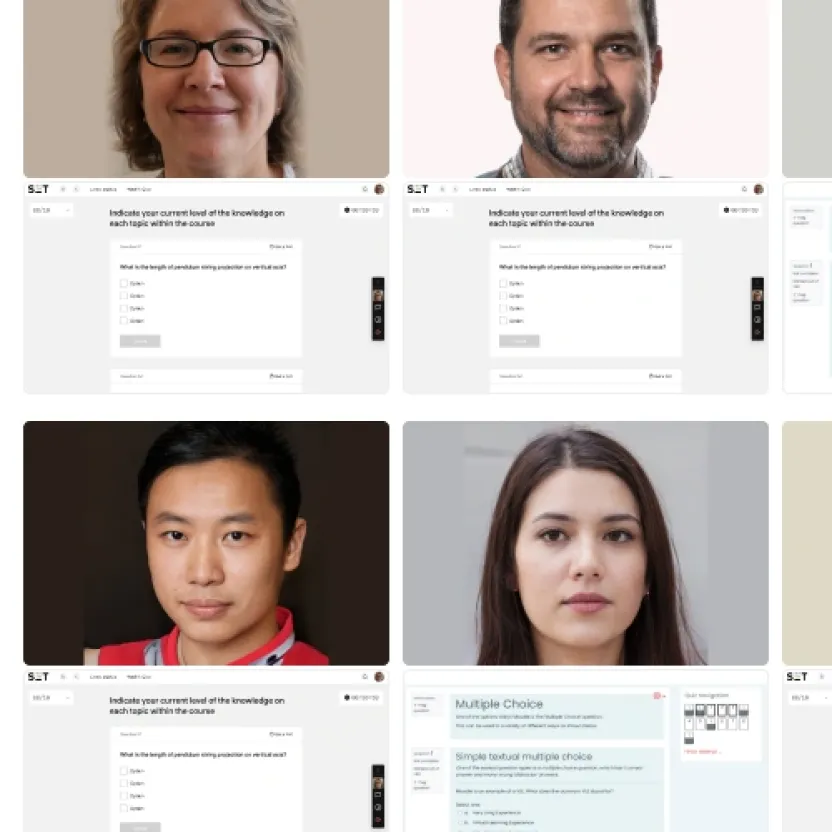
Yes, and they should. A guided system check before exam day lets candidates test their camera, microphone, browser and connection while there is still time to fix them. It moves technical problems out of the exam window, where they cost students time and create support tickets for your team.
When you compare tools, ask what the check covers and when students can run it. Ask too what the experience looks like for candidates who aren't on a laptop or don't take exams in English.
Constructor Proctor gives every test-taker a guided system check during onboarding, before the exam starts.
Candidates take exams on Windows or macOS, with the Secure Browser where the exam needs it. A smartphone can be paired as a second camera with a QR code.
The student interface is available in 20+ languages and is built to WCAG 2.1 AA guidelines.
No. A low-stakes quiz rarely needs a person watching every minute, while a final or certification exam might. The right proctoring solution lets you set the level of oversight per exam, so you spend reviewer time where the stakes are highest and keep costs and intrusion low everywhere else.
Constructor Proctor offers three levels of oversight, and you choose one for each exam:
AI analyzes the entire session and flags potential issues for your team to check.
AI monitors the session, then your designated reviewer checks the recording and confirms the findings.
Your proctors watch sessions in real time, with AI highlighting what needs attention. Each institution sets how many candidates one proctor follows.
Your staff should. AI is good at spotting patterns across thousands of sessions, such as a second face, a phone or a forbidden application. It should not be the one deciding whether a student cheated. Ask every vendor how flags reach a human reviewer and how that reviewer confirms or dismisses them.
In Constructor Proctor, AI detects around 30 types of violation, from a second person in the frame to a phone, an extra display or forbidden software, and gives each session a suspicion score from 0 to 100. Your reviewers then confirm or dismiss each flag, so no candidate is judged by an algorithm alone. This also supports GDPR Article 22, which requires human oversight of automated decisions.
Clear flags and a human decision change outcomes. In a joint deployment with GamaLearn, Princess Nourah University saw a 90% drop in academic dishonesty and 70% less admin workload.
Ask for the exact number. Some proctoring tools end a session after a few seconds offline, which turns a short outage into a retake request. A better approach keeps the session open, locks the exam so nothing can happen while the candidate is offline, and unlocks it when they reconnect.
Nexford University teaches students in more than 110 countries, many in regions with unreliable connections.
Nexford's previous system ended sessions after a 30-second disruption, so every drop meant a retake request.
A session stays open for up to 10 minutes during an outage and the exam locks until the student reconnects, so the attempt isn't voided.
Constructor Proctor significantly reduced the support tickets related to internet issues.
It should, and the way it integrates matters. Students should open a proctored exam from the course they already use, and faculty should see results without exporting files. Ask which LMSs have a native integration, which rely on LTI, and whether there is an API for your own exam platform.
Constructor Proctor works with Moodle, Canvas, D2L Brightspace and Blackboard, plus LTI and an open API. Moodle has a dedicated plugin (Moodle 5 ready), other platforms connect through an LTI adapter, and the open API lets you build Proctor into your own systems.
TechNet Learning in Italy did exactly that: it integrated the Proctor API into its own exam platform and has run more than 80,000 exams, with over 1,000 a day at peak.
Proctoring records video, audio and screen activity, so data hosting is often the question that decides the shortlist. Ask where recordings are stored, how long they are kept, who controls them and whether the vendor will sign a Data Processing Agreement. If your rules require on-premise hosting, confirm it in writing before the demo.
| What to ask | Constructor Proctor |
|---|---|
Deployment |  Cloud, private cloud or on-premise |
Regulation | GDPR compliant, with consent before every exam and human review of AI flags |
Contract | Data Processing Agreement for institutional customers. Your institution is the data controller |
Retention | Retention period set per institution, with recordings deleted automatically when it ends |
150+
prohibited apps blocked by the Secure Browser
30+
types of violation detected automatically
0–100
suspicion score on every session, so reviewers know where to look first
20+
interface languages for test-takers and proctors
Bring your hardest exam scenario. We'll show you the system check, the oversight levels, how reviewers handle flags and how a session recovers from an outage.