

Children choose guided or free training and give each letter its color. Orthograph repeats every word until it sticks.
Orthograph
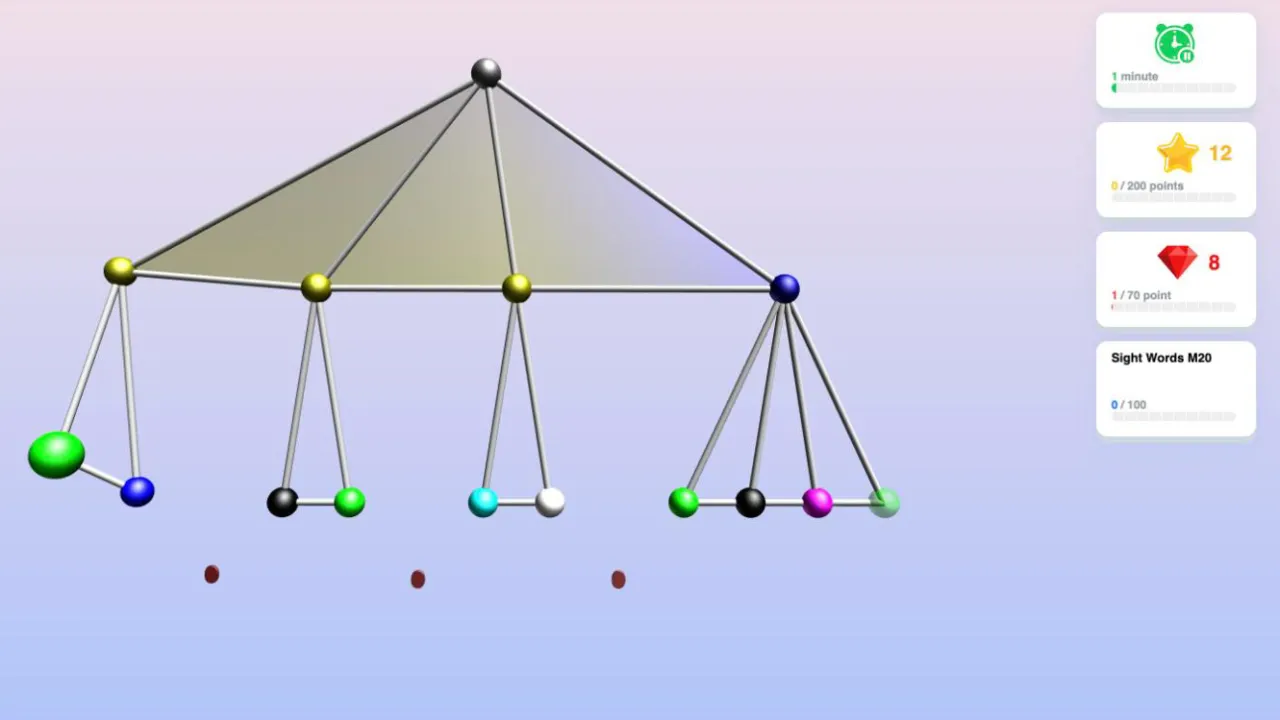
Watch Orthograph in action
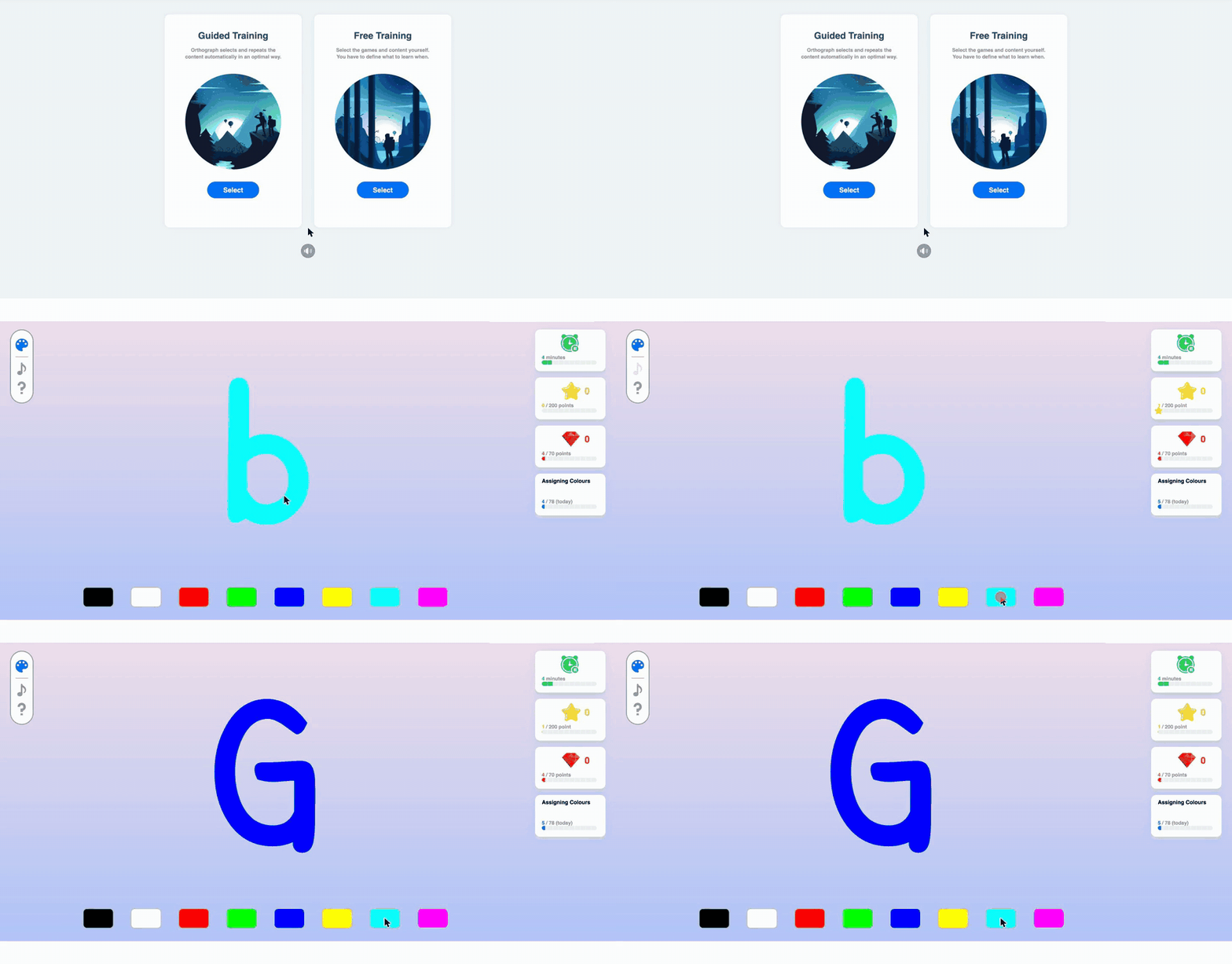
Give children a different way to learn words
Orthograph is an intelligent, multisensory vocabulary trainer for grades 2 to 6. Every word becomes a sequence of colors, tones, and word structure, and children memorize it instead of working out a rule. That makes it the first choice for learning vocabulary in a foreign language, or in any language besides German, and for learners who find the rule-based approach of Grafari hard, including some with dyslexia.
Orthograph does not teach spelling rules and does not cover the German spelling curriculum. Words are learned by heart, in the order in which spelling builds up. For rule-based German spelling, see Grafari.
Orthograph was developed in collaboration with the Swiss Federal Institute of Technology in Zurich.
8,000
common words, grouped by spelling pattern
18
content languages and variants
33%
average spelling improvement after three months of training, against 6% without training
28%
of the original errors left after 30 days when assigning letters to sounds
Key capabilities
See every word as colors, tones, and structure
Each word becomes a sequence of colors, tones, and word structure. Children link sounds to letters early and spot spelling patterns later.
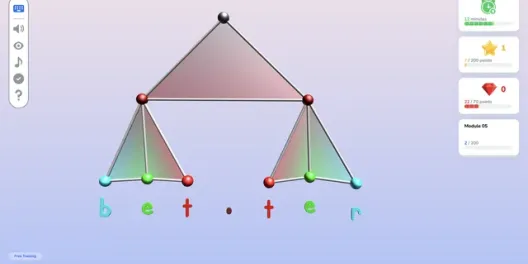
Build each word on the Spelling Quest tree
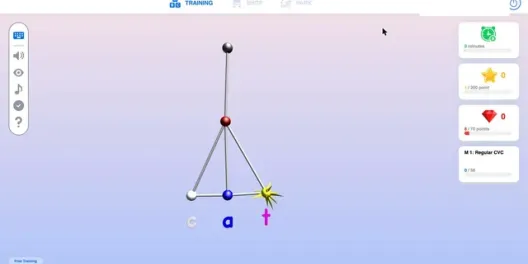
In Spelling Quest, a word grows as a 3D tree of colored nodes, letter by letter. Children see the structure of a word before they write it.
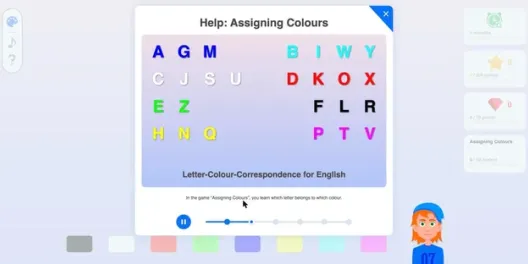
Match letters to colors that never change
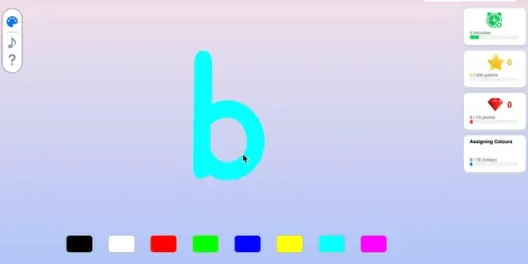
Letter colors follow a research-based distribution built for pattern recognition and fast memorizing. In Assigning Colours, children learn which letter belongs to which color.
Follow 24 modules in a fixed order
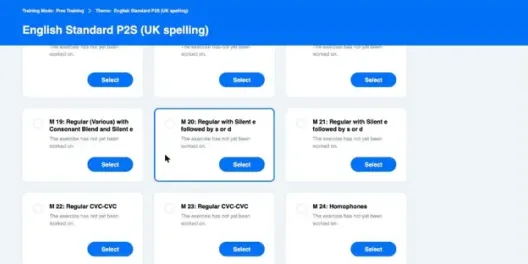
The German plans follow the build-up of spelling in 24 modules. The English plan Standard P2S also lists 24, from regular words to homophones. Plans can follow syllables or morphemes.
Choose guided or free training
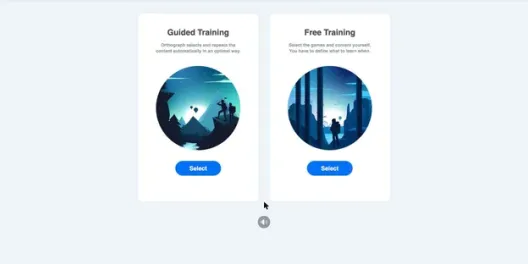
In Guided Training the program selects and repeats the content automatically, so you configure nothing. In Free Training you or the learner pick the games and content.
Let each child repeat what they need
Orthograph repeats words more or less often based on how each child performs, with immediate feedback and encouragement to self-correct. A unit takes 15 to 20 minutes at school or at home.
Add your own word lists
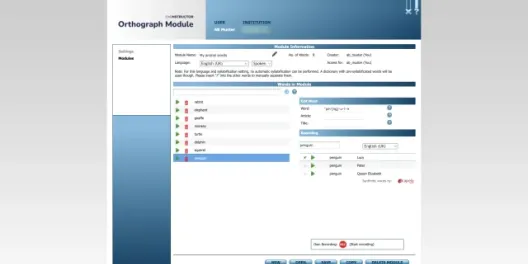
Create custom modules from your own words, next to the basic vocabulary that comes with the program. Use them for a class list or a foreign-language unit.
Keep children motivated with the reward park
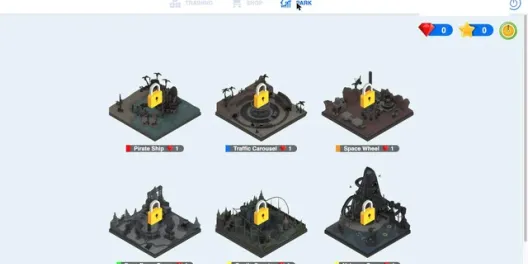
Children earn stars and diamonds, and the learning status shows progress as an amusement park that grows with their work. Each child also picks a companion.
Follow progress for one child or a whole class
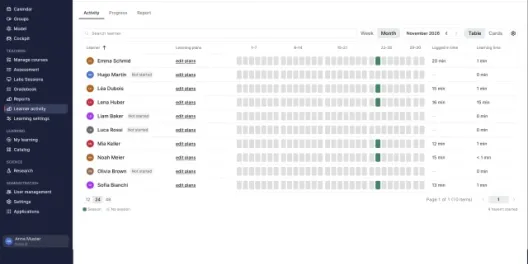
The Coach is your teacher view. Monitor single learners or whole classes and see progress without setting anything up. Teacher logins are free.
Read what the research found
This research belongs to Orthograph. It examined earlier Dybuster versions of the program, built at ETH Zurich and the University of Zurich, with German-speaking children. Two are studies and one is an overview.
The studies tested earlier versions of the program with German-speaking children, not the current version. We know of no efficacy study in another language.
The figures in the bar at the top (33%, 6%, 28%) come from the official Orthograph one-pager 2026, which cites studies at ETH Zurich and the University of Zurich.
Jäncke et al. (2007)
Jäncke, Meyer, Kast, Vögeli, Gross (2007). Computer-based multisensory learning in children with developmental dyslexia. Restorative Neurology and Neuroscience 25, 1-15
What was studied: 43 children with dyslexia and 37 matched controls, ages 9 to 11. Three months, 15 to 20 minutes, 4 days a week. Trained and waiting groups, then swapped.
What it found: Children with dyslexia who did not train hardly improved (0 to 9%). Those who trained improved by 19 to 35%. Children also wrote words correctly that were not in the software. Children without dyslexia benefited too. Children with dyslexia still stayed behind the controls after training.
Kast et al. (2011)
Kast, Baschera, Gross, Jäncke, Meyer (2011). Computer-based learning of spelling skills in children with and without dyslexia. Annals of Dyslexia, DOI 10.1007/s11881-011-0052-2
What was studied: Two studies, 28 children with dyslexia, then 37 with and 25 without dyslexia, ages 8 to 12, Swiss-German speakers. 12 weeks, about 5 times a week for 20 minutes, mostly at home. No untrained control group.
What it found: Children with dyslexia improved to the same extent as children without. An added phonological cue and a phoneme-based student model raised learning progress by 154% compared with the previous software version. Children with low attention benefited from the structured environment.
Solenthaler et al. (2018)
Solenthaler, Klingler, Käser, Gross (2018). Ten years of research on intelligent educational games for learning spelling and mathematics. arXiv:1806.03257
What was studied: Overview of the research behind the Orthograph (spelling) and Calcularis (math) learning environments. Not a trial.
What it found: Describes the multimodal representation, the student model, and teacher analytics. It reports a spelling improvement of about 30% after twelve weeks, citing an earlier paper (Gross and Vögeli, 2007) that we have not read.
Start free and add licenses when you are ready
Try it free for 30 days
30-day free trial with a free teacher account that tests all applications. Your school starts it through the school sign-up form, and the trial can be extended on request.
Get Orthograph in the Literacy Package
Literacy Package: contains the Grafari and Orthograph apps, which are two separate programs with different approaches. It includes 18 content languages, customized content, and dyslexia support.
Add Math or choose the Combo
Other packages: the Math Package is Calcularis, and the Combo package contains Calcularis, Grafari, and Orthograph. Writing Lab is an optional add-on to the Literacy and Combo packages.
Work with the Coach
Licenses priced per learner per year, with volume tiers, acquired at any time through the Coach. Prices vary by country, so ask for a quote.
Coach and unlimited teacher accounts in every package: progress tracking for single learners and whole classes.
Frequently asked questions
What is Orthograph?
Does Orthograph teach spelling rules?
Which program should I choose?
Is Orthograph sold on its own?
Which grades is it for?
How much time does a child need?
Do I need to set anything up?
Can I change the colors?
Does it work for children with dyslexia?
Which languages does Orthograph support?
Is it suitable for learners of German as a second language?
How do we try it?
Does Orthograph work on our school devices?
Try Orthograph with your class for 30 days
Create a free teacher account, try the program yourself, and decide with your colleagues. Or tell us what you need and we will get back to you.