Constructor Prism · Course authoring

From source material to a course you can teach

Create a course yourself or use AI to start from a PDF or a link to a web page. Review the brief, outline, lessons and quizzes in one workspace. Publish to Constructor Learn, or export an AI-generated course as SCORM for another LMS.

2M+

Active learners on Constructor Tech

8

Connected apps in one platform

2

Ways to author: manually or with licensed AI

What it is

One workspace to design, build and publish a course

Prism is Constructor Tech’s course authoring app. Create and edit a course manually, or use licensed AI to generate a new course from a PDF or a web page link. Review the result before learners see it.

Key capabilities

Build a course, with you in control

Create manually or use Prism Advanced to draft a new course from a PDF or web page link. Review and edit every stage before publication.

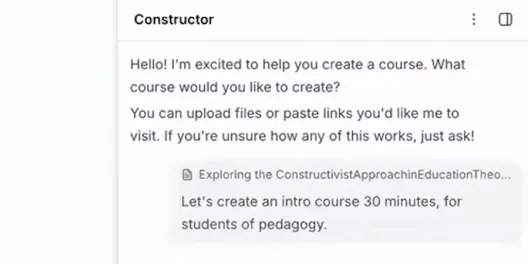
Prism course creation chat with an uploaded source file and course instructions

Source input

Start from a PDF or link

Upload a PDF or add a link to a web page as the source for a new AI-generated course.

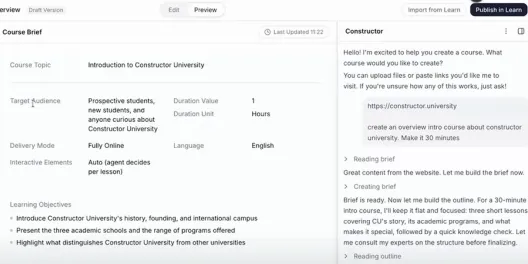
Prism course brief showing learning objectives and AI planning chat

AI course planning

Guide the AI step by step

Use the chat beside the editor to shape a new course. Review the brief and outline before lessons are drafted.

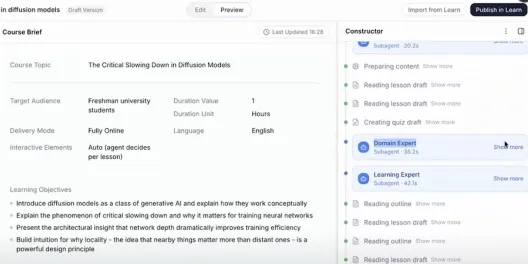
Prism course brief beside Domain Expert and Learning Expert review activity

Expert review

See expert review

Learning-design and subject-matter agents review generated sections and show their findings in the authoring flow.

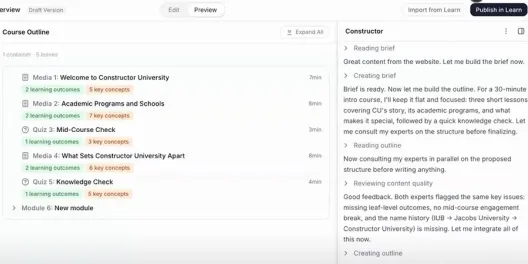
Prism course outline with lessons, knowledge checks, and learning outcomes

Course structure

Review the course outline

Inspect the modules, topics, lessons and quizzes in the course structure, then adjust the draft before publication.

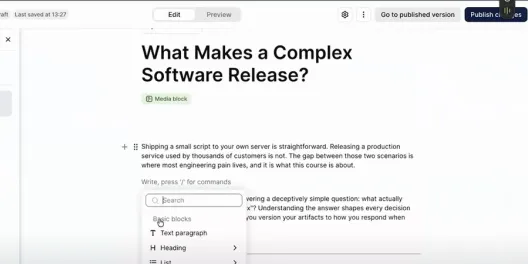
Prism course editor with the content block editing menu open

Manual editing

Edit in one workspace

Adjust lesson text and add content blocks in the editor. Review the course structure and settings before publication.

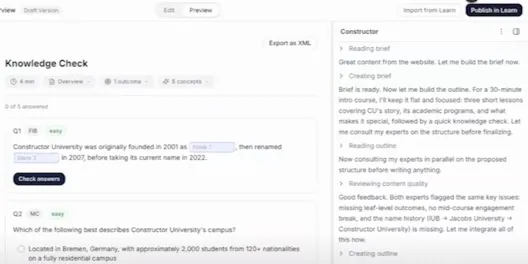
Prism knowledge check with fill-in-the-blank and multiple-choice questions

Quiz creation

Add knowledge checks

Review generated fill-in-the-blank and multiple-choice questions in the course before publication.

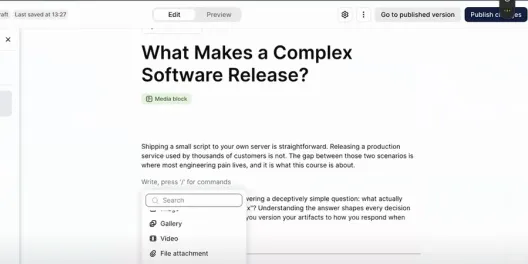
Prism course editor with gallery, video, and file attachment blocks available

Lesson media

Use media in lessons

Combine text, images and other supported media blocks to make material easier to follow.

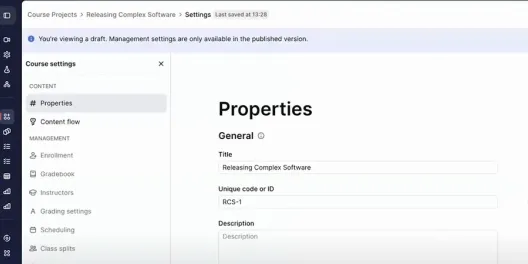
Prism draft settings with notice separating the working draft from the published version

Draft review

Review before learners see it

Keep a working draft separate from the published course while your team checks and refines it.

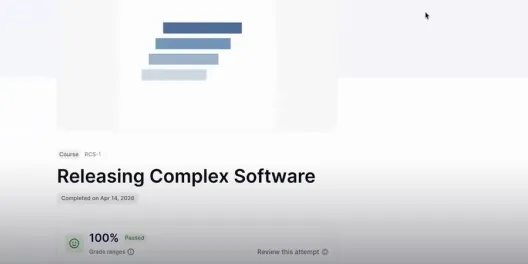
Published Releasing Complex Software course shown in the learner view

Published course

Publish to Constructor Learn

Review a working draft, then publish the approved course to Constructor Learn. Keep future edits in draft until they are ready.

How it works

Make a course in four steps

Bring your material, review the plan, refine the lessons and publish when the course is ready.

1. Add your source

Upload a PDF or add a link to a web page. Tell Prism who the course is for.

2. Review the plan

Check the brief and outline before Prism drafts lesson content.

3. Refine the course

Review and edit lessons and quizzes in the authoring workspace.

4. Deliver

Publish to Constructor Learn, or export an AI-generated course as SCORM.

Constructor Prism

Course workflow

See what happens at each stage

Prism gives authors a visible sequence from source material to a course ready for learners.

StagePrism supportYour reviewResult
SourceCheck the source is suitableSource ready
Course briefConfirm audience and goalsBrief approved
OutlineAdjust topic orderOutline approved
LessonsCheck accuracy and clarityContent revised
MediaCheck relevance and rightsMedia approved
Knowledge checksCheck answers and feedbackQuestions ready
Expert reviewAccept or revise suggestionsIssues resolved
DraftReview the complete courseReady to deliver
PublishApprove the final versionLearners can access
ExportCheck LMS compatibilityTransfer package

Who it is for

Course creation for different teaching teams

Schools, universities, training teams and certification programs can use Prism to build and review courses. The examples below describe where the app fits; availability of AI generation depends on the license.

Schools and universities

Build lessons and courses from approved teaching material. Teachers and instructors review the content before learners see it.

Corporate training

Turn approved training material into structured onboarding and skills courses that teams can update manually.

Certification teams

Create learning content and knowledge checks for professional development programs.

Trusted by institutions and certification programs worldwide

What you get

Prism Advanced, with Foundation access across the suite

Choose Prism Advanced for AI course generation. Your purchase also includes Foundation access to the other Constructor Tech apps. Foundation covers each app’s core functions; you can add Advanced capabilities in another app when you need them. Exact functions and usage allowances are set by your agreement.

Prism Advanced

AI course generation

  • Generate a new course from a PDF or web page link

  • Review the brief and outline before content is drafted

  • Use the AI agent alongside the course editor

  • See learning-design and subject-matter review findings

  • Add multiple-choice, multiple-answer and fill-in-the-blank quizzes

  • Publish to Constructor Learn or export an AI-generated course as SCORM

Also included

Foundation in the other apps

Core Foundation functions in Learn, Assess, Practice, Proctor, Schedule, Research and Groups are included with Prism Advanced. Add Advanced capabilities in another app when you need them.

Which functions and usage allowances are enabled is specified in your agreement.

Integrations & technical

Fits the tools you already use

Prism is part of the Constructor platform and connects outward.

Compliance and security

Review the requirements for your deployment

Our team can provide current privacy, security and accessibility documentation for your organization. Check the scope and applicable standards before making a procurement decision.

GDPR

FERPA

COPPA

SOPIPA

Accessibility documentation

Responsible AI information

Content ownership information

Bring Prism to your market

Join a growing network of resellers, integrators, and solution providers who are bringing Constructor Prism to schools, universities, and organizations around the world. Whether you're an edtech distributor, a curriculum provider, an LMS vendor, or a regional training company, we offer flexible partnership models designed to create shared value.

Revenue opportunity

Competitive margins and co-selling support on every deal you bring in.

Full enablement

Training, demo environments, co-branded materials, and a dedicated Partner Content Hub.

Go-to-market support

Joint campaigns, lead sharing, and visibility in our Partner Locator.

Frequently asked questions

See Prism in action

Book a demo and watch Prism build a complete course from your own material. Our team will tailor it to how you create.

Request a demo

Tell us what you want to build. We’ll show how Prism fits your course creation workflow.